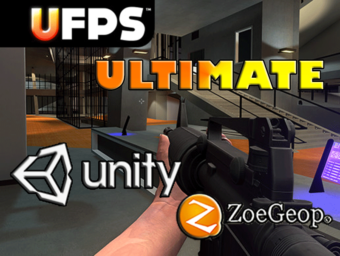
En esta oportunidad les mostraré cómo crear una primera versión de un juego mobile de modalidad RPG /Shooter en primera y tercera persona con el Asset UFPS Ultimate. El cual es de gran ayuda a la hora de implementar un juego totalmente funcional y completo del tipo Shooter o RPG para ejecutarlo en nuestros dispositivos Standalone o Consolas. No requiere ciertos conocimientos de programación. En los enlaces encontrarán los links comentados en el video para acceder a nuestro portal web. Espero que lo disfruten y dejen sus comentarios contándome que tal les parece.
✔️Características únicas
El controlador contiene muchas características que normalmente no se encuentran en otros controladores de personajes, desde el cambio de perspectiva en primera y tercera persona hasta el sistema de resorte que permite animaciones fluidas y procedimentales en primera persona. Los modelos de personajes se pueden cambiar en tiempo de ejecución. El sistema de artículos modulares le permite ajustar el comportamiento de un artículo a sus especificaciones exactas. Otras características únicas incluyen el sistema de habilidades, la gravedad dinámica y la posibilidad de cambiar la escala de tiempo por personaje.
✔️Calidad y modularidad excepcionales
Muchos activos intentan hacer demasiado. El enfoque completo del Ultimate Character Controller es ser un gran controlador de personajes. El diseño modular permite integraciones con activos que sobresalen en otras áreas.
Síguenos en nuestro canal de YouTube dedicado a tecnología, marketplace de proyectos tecnológicos, cursos online y tutoriales de desarrollo de videojuegos. Ofrecemos consultoría en desarrollo de software, marketing online, servicios de TI, hosting web, dominios, web y más.
La industria de videojuegos genera cada año más de 726.000 millones de dólares, un indicador del creciente auge en los últimos tiempos.
Lo que antes era considerado un negocio únicamente enfocado al ocio, ahora esta llegando a sectores mucho más especializados para sacarle mayor provecho económicamente mediante eventos de torneos de jugadores apasionados.
No paran de crecer los números y las ventas del sector de los videojuegos, es un constante crecimiento que le permite colarse como uno de los que más facturan dinero proporcionalmente, más que el cine, la literatura y la música juntos.
Con esta salud de hierro, queremos traeros los espectaculares números estratosféricos que tienen los juegos más vendidos de la historia, si quieres saber cuales son y el ranking de copias vendidas, este listado te lo va a dejar claro.
Los videojuegos más vendidos de la historia tienen en común muchas cosas, aparte de que probablemente hayas jugado a más de uno, y es que por la época de salida además del boca a boca, han hecho que tengan un flujo de venta casi constante durante muchos más años de los habituales.
Los juegos más vendidos de la historia forman una lista con diferentes géneros que integran diversos estilos y formatos. Desde títulos recientes a clásicos sempiternos que han marcado generaciones a través del tiempo.
Síguenos en nuestro canal de YouTube dedicado a tecnología, marketplace de proyectos tecnológicos, cursos online y tutoriales de desarrollo de videojuegos. Ofrecemos consultoría en desarrollo de software, marketing online, servicios de TI, hosting web, dominios, web y más.
¡Hola! En esta oportunidad te presentamos el asset más completo hasta la fecha para modificar y crear juegos en primera y tercera persona: el Ultimate Character Controller. Con este asset pagado de la tienda de Unity podrás ver todas las funcionalidades que te ofrece y enfocarte en una modalidad bastante utilizada en la actualidad, que nos sirve para crear juegos 2.5D.
El desarrollo completo de un videojuego, aunque sea a pequeña escala, requiere de una buena planificación y distribución de todas las funciones a realizar. Esto es debido a que para la creación de un buen producto son necesarios conocimientos de muchos ámbitos diferentes (programación, diseño 3D, diseño de videojuegos…) para poder crear e implementar todos los elementos necesarios para el juego, por esto mismo, si no se tiene una buena planificación del desarrollo y se tienen claramente definidos sus requisitos, la correcta combinación de estos elementos en un producto unificado y de calidad se vuelve prácticamente una misión imposible.
Asimismo, considero que se ha demostrado que se han adquirido unos conocimientos suficientes en los diferentes ámbitos del desarrollo de este proyecto. Además de que, en este punto, con más tiempo y recursos a mi disposición se podría mejorar el juego e intentar alcanzar el nivel de un pequeño producto a nivel comercial.
Síguenos en nuestro canal de YouTube dedicado a tecnología, marketplace de proyectos tecnológicos, cursos online y tutoriales de desarrollo de videojuegos. Ofrecemos consultoría en desarrollo de software, marketing online, servicios de TI, hosting web, dominios, web y más.
¡Hola! Les compartimos en esta oportunidad un tutorial que nos ofrece un nuevo activo gratuito en la tienda de activos de Unity: el Kit de Juego 2D. El cual es libre de modificación y adecuación para desarrollos de juegos propios garantizado oficialmente por unidad. Esperamos les sea de mucho provecho.
Unity le da poder a los diseñadores de juego en hacer juegos. Lo que es realmente especial de Unity es que no se necesita años de experiencia programando o un titulo universitario en arte para hacer juegos divertidos. Hay un conjunto de conceptos de trabajo que se necesitan para aprender a utilizar Unity. Una vez se entiendan estos, uno va a poder encontrarse a sí mismo haciendo juegos en un instante. Con el tiempo que se va ahorrar poniendo sus juegos en funcionamiento, va a poder usar mucho más tiempo para refinar, balancear, y ajustar su juego a la perfección.
Esta sección va a explicar los conceptos básicos que se necesitara para crear una experiencia de juego única, increíble, y divertida. La mayoría de estos conceptos requieren que escriba Scripts. Para una visión generar de crear y trabajar con scripts, lea la página Scripting
Las escenas contienen los objetos de su juego. Pueden ser usadas para crear un menú principal, niveles individuales, y cualquier otra cosa. Piense en cada archivo de escena, como un nivel único. En cada escena, usted va a colocar su ambiente, obstáculos, y decoraciones, el diseño esencial y la construcción de su juego en pedazos.
Síguenos en nuestro canal de YouTube dedicado a tecnología, marketplace de proyectos tecnológicos, cursos online y tutoriales de desarrollo de videojuegos. Ofrecemos consultoría en desarrollo de software, marketing online, servicios de TI, hosting web, dominios, web y más.
El tiempo para crear la obra de arte, brindar atención al cliente y mantener las cosas actualizadas fue demasiado abrumador como un estudio de un solo hombre además de su trabajo de tiempo completo. En 2022, con algunos amigos, nació la idea de un estudio completamente nuevo. Sierra Division fue cofundada por Game and Film Industry Veterans y es el futuro de Top Tier Artwork disponible para el público. La compañía se dedica a crear obras de arte de la más alta calidad y brindar un servicio al cliente acogedor y rápido. Si está buscando más ilustraciones de PurePolygons, puede encontrar a Jacob y sus equipos trabajando en Sierra Division. Gracias a todos por el apoyo a lo largo de los años y la abrumadora positividad para la obra de arte. ¡Esto no es un adiós!
https://linktr.ee/sierradivision
R: Todos los paquetes de PurePolygons actuales permanecerán activos y actualizados a las últimas versiones de Unreal Engine, pero si está buscando nuevas ilustraciones y activos en Marketplace, Jacob (PurePolygons) ahora dedica su tiempo por completo a Sierra Division y al increíble equipo de personas que crean contenido allí. Gracias de nuevo
Todos los ríos son spline generados con un material que aumenta la velocidad del río en función de los ángulos de pendiente de la geo y agrega espuma al agua en la parte superior y la base de cualquier caída de agua. Así que no hay trabajo extra de su parte. ¡Simplemente colóquelo y listo!
Síguenos en nuestro canal de YouTube dedicado a tecnología, marketplace de proyectos tecnológicos, cursos online y tutoriales de desarrollo de videojuegos. Ofrecemos consultoría en desarrollo de software, marketing online, servicios de TI, hosting web, dominios, web y más.
Solo se necesita un sueño para crear un nuevo mundo. Unity te ofrece las herramientas necesarias para convertir ese sueño en realidad. Aquí encontrarás muchos consejos para comenzar a crear tu primer videojuego. No importa qué tantas habilidades o experiencia previa tengas: ¡lo importante es que tengas la motivación para crear algo extraordinario!
Unity es la plataforma de creación de juegos más utilizada del mundo: el 50 % de los juegos móviles se crean con esta plataforma, el 60 % del contenido de realidad aumentada y realidad virtual está impulsado por Unity. Además, el «desarrollador Unity» ocupa el puesto número 7 en la lista de los empleos de más rápido crecimiento, según un informe reciente de LinkedIn sobre nuevos empleos en los Estados Unidos.
Comienza a crear con un microjuego listo para utilizarse en Unity. Cada microjuego incluye su propia colección de mods, los cuales son personalizaciones sencillas y divertidas que también funcionan como introducción al diseño de juegos, la lógica, los elementos visuales y más.
Los nuevos creadores pueden descargar Unity de forma gratuita y comenzar a trabajar con los microjuegos y mods listos para utilizarse en Unity. Aprende con cientos de tutoriales, cursos, términos y kits de juego gratuitos y económicos, creados por Unity y por nuestra fabulosa comunidad.
Códigos para anexar a tu Character First Person utilizados en el video
using UnityEngine;
using System.Collections;
public class FirstPersonCharacter : MonoBehaviour
{
 [SerializeField] private float runSpeed = 8f;                                       // The speed at which we want the character to move
 [SerializeField] private float strafeSpeed = 4f;                                    // The speed at which we want the character to be able to strafe
 [SerializeField] private float jumpPower = 5f;                                      // The power behind the characters jump. increase for higher jumps
 [SerializeField] private AdvancedSettings advanced = new AdvancedSettings();        // The container for the advanced settings ( done this way so that the advanced setting are exposed under a foldout
 [SerializeField] private bool lockCursor = true;
 [System.Serializable]
 public class AdvancedSettings                                                       // The advanced settings
 {
 public float gravityMultiplier = 1f;                                            // Changes the way gravity effect the player ( realistic gravity can look bad for jumping in game )
 public PhysicMaterial zeroFrictionMaterial;                                     // Material used for zero friction simulation
 public PhysicMaterial highFrictionMaterial;                                     // Material used for high friction ( can stop character sliding down slopes )
 public float groundStickyEffect = 5f; // power of 'stick to ground' effect - prevents bumping down slopes.
 }
 private CapsuleCollider capsule;                                                    // The capsule collider for the first person character
 private const float jumpRayLength = 0.7f;                                           // The length of the ray used for testing against the ground when jumping
 public bool grounded { get; private set; }
 private Vector2 input;
 private IComparer rayHitComparer;
 void Awake ()
 {
 // Set up a reference to the capsule collider.
 capsule = GetComponent() as CapsuleCollider;
 grounded = true;
 rayHitComparer = new RayHitComparer();
 if (lockCursor)
 {
 Cursor.lockState = CursorLockMode.Locked;
 Cursor.visible = false;
 }
 else
 {
 Cursor.lockState = CursorLockMode.None;
 Cursor.visible = true;
 }
 }
 void OnDisable()
 {
 Cursor.lockState = CursorLockMode.None;
 Cursor.visible = true;
 }
 void Update()
 {
 if (Input.GetMouseButtonUp(0))
 {
 Cursor.lockState = CursorLockMode.Locked;
 Cursor.visible = false;
 }
        if (Input.GetKeyDown(KeyCode.Escape))
        {
            Cursor.lockState = CursorLockMode.None;
            Cursor.visible = true;
        }
 }
 public void FixedUpdate ()
 {
 float speed = runSpeed;
 float h = Input.GetAxis("Horizontal");
 float v = Input.GetAxis("Vertical");
 bool jump = Input.GetButton("Jump");
 input = new Vector2( h, v );
 // normalize input if it exceeds 1 in combined length:
 if (input.sqrMagnitude > 1) input.Normalize();
 // Get a vector which is desired move as a world-relative direction, including speeds
 Vector3 desiredMove = transform.forward * input.y * speed + transform.right * input.x * strafeSpeed;
 // preserving current y velocity (for falling, gravity)
 float yv = GetComponent().velocity.y;
 // add jump power
 if (grounded && jump) {
 yv += jumpPower;
 grounded = false;
 }
 // Set the rigidbody's velocity according to the ground angle and desired move
 GetComponent().velocity = desiredMove + Vector3.up * yv;
 // Use low/high friction depending on whether we're moving or not
 if (desiredMove.magnitude > 0 || !grounded)
 {
 GetComponent().material = advanced.zeroFrictionMaterial;
 } else {
 GetComponent().material = advanced.highFrictionMaterial;
 }
 // Ground Check:
 // Create a ray that points down from the centre of the character.
 Ray ray = new Ray(transform.position, -transform.up);
 // Raycast slightly further than the capsule (as determined by jumpRayLength)
 RaycastHit[] hits = Physics.RaycastAll(ray, capsule.height * jumpRayLength );
 System.Array.Sort (hits, rayHitComparer);
 if (grounded || GetComponent().velocity.y < jumpPower * .5f)
 {
 // Default value if nothing is detected:
 grounded = false;
 // Check every collider hit by the ray
 for (int i = 0; i < hits.Length; i++)
 {
 // Check it's not a trigger
 if (!hits[i].collider.isTrigger)
 {
 // The character is grounded, and we store the ground angle (calculated from the normal)
 grounded = true;
 // stick to surface - helps character stick to ground - specially when running down slopes
 //if (rigidbody.velocity.y <= 0) {
 GetComponent().position = Vector3.MoveTowards (GetComponent().position, hits[i].point + Vector3.up * capsule.height*.5f, Time.deltaTime * advanced.groundStickyEffect);
 //}
 GetComponent().velocity = new Vector3(GetComponent().velocity.x, 0, GetComponent().velocity.z);
 break;
 }
 }
 }
 Debug.DrawRay(ray.origin, ray.direction * capsule.height * jumpRayLength, grounded ? Color.green : Color.red );
 // add extra gravity
 GetComponent().AddForce(Physics.gravity * (advanced.gravityMultiplier - 1));
 }
 //used for comparing distances
 class RayHitComparer: IComparer
 {
 public int Compare(object x, object y)
 {
 return ((RaycastHit)x).distance.CompareTo(((RaycastHit)y).distance);
 }
 }
}
using UnityEngine;
using UnityStandardAssets.CrossPlatformInput;
public class MouseRotator : MonoBehaviour {
 // A mouselook behaviour with constraints which operate relative to
 // this gameobject's initial rotation.
 // Only rotates around local X and Y.
 // Works in local coordinates, so if this object is parented
 // to another moving gameobject, its local constraints will
 // operate correctly
 // (Think: looking out the side window of a car, or a gun turret
 // on a moving spaceship with a limited angular range)
 // to have no constraints on an axis, set the rotationRange to 360 or greater.
 public Vector2 rotationRange = new Vector3(70,70);
 public float rotationSpeed = 10;
 public float dampingTime = 0.2f;
 public bool autoZeroVerticalOnMobile = true;
 public bool autoZeroHorizontalOnMobile = false;
 public bool relative = true;
 Vector3 targetAngles;
 Vector3 followAngles;
 Vector3 followVelocity;
 Quaternion originalRotation;
 // Use this for initialization
 void Start () {
 originalRotation = transform.localRotation;
 }
 // Update is called once per frame
 void Update () {
 // we make initial calculations from the original local rotation
 transform.localRotation = originalRotation;
 // read input from mouse or mobile controls
 float inputH = 0;
 float inputV = 0;
 if (relative)
 {
 inputH = CrossPlatformInputManager.GetAxis("Horizontal");
 inputV = CrossPlatformInputManager.GetAxis("Vertical");
 // wrap values to avoid springing quickly the wrong way from positive to negative
 if (targetAngles.y > 180) { targetAngles.y -= 360; followAngles.y -= 360; }
 if (targetAngles.x > 180) { targetAngles.x -= 360; followAngles.x-= 360; }
 if (targetAngles.y < -180) { targetAngles.y += 360; followAngles.y += 360; }
 if (targetAngles.x < -180) { targetAngles.x += 360; followAngles.x += 360; }
 // with mouse input, we have direct control with no springback required.
 targetAngles.y += inputH * rotationSpeed;
 targetAngles.x += inputV * rotationSpeed;
 // clamp values to allowed range
 targetAngles.y = Mathf.Clamp ( targetAngles.y, -rotationRange.y * 0.5f, rotationRange.y * 0.5f );
 targetAngles.x = Mathf.Clamp ( targetAngles.x, -rotationRange.x * 0.5f, rotationRange.x * 0.5f );
 } else {
 inputH = Input.mousePosition.x;
 inputV = Input.mousePosition.y;
 // set values to allowed range
 targetAngles.y = Mathf.Lerp ( -rotationRange.y * 0.5f, rotationRange.y * 0.5f, inputH/Screen.width );
 targetAngles.x = Mathf.Lerp ( -rotationRange.x * 0.5f, rotationRange.x * 0.5f, inputV/Screen.height );
 }
 // smoothly interpolate current values to target angles
 followAngles = Vector3.SmoothDamp( followAngles, targetAngles, ref followVelocity, dampingTime );
 // update the actual gameobject's rotation
 transform.localRotation = originalRotation * Quaternion.Euler( -followAngles.x, followAngles.y, 0 );
 }
}
using UnityEngine;
using System.Collections;
using UnityEngine.UI;
using UnityEngine.SceneManagement;
public class FirstPersonHeadBob : MonoBehaviour {
 // Head bobbing is controlled by a sine wave and the character's speed, modulated by a handful of values.
 // This script also controls sound effects for footsteps, landing and jumping
 // (because the footsteps are tied to the head bob cycle)
 // When jumping or landing, the head also moves and tilts based on some simple springy calculations.
 [SerializeField] Transform head; // the object to which the head-bob movement should be applied
 // these modulate the head bob movement
 [SerializeField] float headBobFrequency = 1.5f; // the base speed of the head bobbing (in cycles per metre)
 [SerializeField] float headBobHeight = 0.3f; // the height range of the head bob
 [SerializeField] float headBobSwayAngle = 0.5f; // the angle which the head tilts to left & right during the bob cycle
 [SerializeField] float headBobSideMovement = 0.05f; // the distance the head moves to left & right during the bob cycle
 [SerializeField] float bobHeightSpeedMultiplier = 0.3f; // the amount the bob height increases as the character's speed increases (for a good 'run' effect compared with walking)
 [SerializeField] float bobStrideSpeedLengthen = 0.3f; // the amount the stride lengthens based on speed (so that running isn't like a silly speedwalk!)
 // these control the amount of movement applied to the head when the character jumps or lands
 [SerializeField] float jumpLandMove = 3;
 [SerializeField] float jumpLandTilt = 60;
 // audio clip references
 [SerializeField] AudioClip[] footstepSounds; // an array of footstep sounds that will be randomly selected from.
 [SerializeField] AudioClip jumpSound; // the sound played when character leaves the ground.
 [SerializeField] AudioClip landSound; // the sound played when character touches back on ground.
 // private vars:
 FirstPersonCharacter character; // a reference to the First Person Character component (on the parent gameobject)
 Vector3 originalLocalPos; // the original local position of this gameobject at Start
 //float nextStepTime = 0.5f; // the time at which the next footstep sound is due to occur
 float headBobCycle = 0; // the current position through the headbob cycle
 float headBobFade = 0; // the current amount to which the head bob position is being applied or not (it is faded out when the character is not moving)
 // Fields for simple spring calculation:
 float springPos = 0;
 float springVelocity = 0;
 float springElastic = 1.1f;
 float springDampen = 0.8f;
 float springVelocityThreshold = 0.05f;
 float springPositionThreshold = 0.05f;
 Vector3 prevPosition; // the position from last frame
 Vector3 prevVelocity = Vector3.zero; // the velocity from last frame
 bool prevGrounded = true; // whether the character was grounded last frame
 // Use this for initialization
 void Start () {
 originalLocalPos = head.localPosition;
 character = GetComponent();
 if (GetComponent() == null)
 {
 // we automatically add an audiosource, if one has not been manually added.
 // (if you want to control the rolloff or other audio settings, add an audiosource manually)
 gameObject.AddComponent();
 }
 prevPosition = GetComponent().position;
 ShootParticle = GetComponentInChildren();
        rb = GetComponent();
 anima = GetComponent();
        //Control = GetComponent();
        Control = GetComponent();
        health = GetComponent();
 //       floorMask = LayerMask.GetMask("floor");
        txtLives.text = "Lives: " + lives.ToString();
        txtZombies.text = "" + zombiesCount.ToString();
        PlayerController = GetComponent();
        Actions = GetComponent();
//        PlayerController.SetArsenal("Rifle");
 //       audio = GetComponent();
 //       camera= GetComponent();
        shootableMask = LayerMask.GetMask("Shooteable");
 }
 // Update is called once per frame
 void FixedUpdate () {
 // we use the actual distance moved as the velocity since last frame, rather than reading
 //the rigidbody's velocity, because this prevents the 'running against a wall' effect.
 Vector3 velocity = (GetComponent().position - prevPosition) / Time.deltaTime;
 Vector3 velocityChange = velocity - prevVelocity;
 prevPosition = GetComponent().position;
 prevVelocity = velocity;
                  // vertical head position "spring simulation" for jumping/landing impacts
 springVelocity -= velocityChange.y; // input to spring from change in character Y velocity
 springVelocity -= springPos*springElastic; // elastic spring force towards zero position
 springVelocity *= springDampen; // damping towards zero velocity
 springPos += springVelocity * Time.deltaTime; // output to head Y position
 springPos = Mathf.Clamp( springPos, -.3f, .3f ); // clamp spring distance
 // snap spring values to zero if almost stopped:
 if (Mathf.Abs(springVelocity) < springVelocityThreshold && Mathf.Abs (springPos) < springPositionThreshold)
 {
 springVelocity = 0;
 springPos = 0;
 }
 // head bob cycle is based on "flat" velocity (i.e. excluding Y)
 float flatVelocity = new Vector3(velocity.x,0,velocity.z).magnitude;
 // lengthen stride based on speed (so run bobbing isn't lots of little steps)
 float strideLengthen = 1 + (flatVelocity * bobStrideSpeedLengthen);
 // increment cycle
 headBobCycle += (flatVelocity / strideLengthen) * (Time.deltaTime / headBobFrequency);
 // actual bobbing and swaying values calculated using Sine wave
 float bobFactor = Mathf.Sin(headBobCycle*Mathf.PI*2);
 float bobSwayFactor = Mathf.Sin(headBobCycle*Mathf.PI*2 + Mathf.PI*.5f); // sway is offset along the sin curve by a quarter-turn in radians
 bobFactor = 1-(bobFactor*.5f+1); // bob value is brought into 0-1 range and inverted
 bobFactor *= bobFactor; // bob value is biased towards 0
 // fade head bob effect to zero if not moving
 if (new Vector3(velocity.x,0,velocity.z).magnitude < 0.1f)
 {
 headBobFade = Mathf.Lerp(headBobFade,0,Time.deltaTime);
 } else {
 headBobFade = Mathf.Lerp(headBobFade,1,Time.deltaTime);
 }
 // height of bob is exaggerated based on speed
 float speedHeightFactor = 1 + (flatVelocity * bobHeightSpeedMultiplier);
 // finally, set the position and rotation values
 float xPos = -headBobSideMovement * bobSwayFactor;
 float yPos = springPos * jumpLandMove + bobFactor*headBobHeight*headBobFade*speedHeightFactor;
 float xTilt = -springPos*jumpLandTilt;
 float zTilt = bobSwayFactor*headBobSwayAngle*headBobFade;
 head.localPosition = originalLocalPos + new Vector3(xPos, yPos, 0);
 head.localRotation = Quaternion.Euler(xTilt,0,zTilt);
 // Play audio clips based on leaving ground/landing and head bob cycle
 if (character.grounded )
 {
 if (!prevGrounded)
 {
 GetComponent().clip = landSound;
 GetComponent().Play();
 //nextStepTime = headBobCycle + .5f;
 } else {
 /* // Don't play footstep sounds for this demo
 if ( headBobCycle > nextStepTime)
 {
 // time for next footstep sound:
 nextStepTime = headBobCycle + .5f;
 // pick & play a random footstep sound from the array,
 // excluding sound at index 0
 int n = Random.Range(1,footstepSounds.Length);
 audio.clip = footstepSounds[n];
 audio.Play();
 // move picked sound to index 0 so it's not picked next time
 footstepSounds[n] = footstepSounds[0];
 footstepSounds[0] = audio.clip;
 }
  */
 }
 prevGrounded = true;
 } else {
 if (prevGrounded)
 {
 GetComponent().clip = jumpSound;
 GetComponent().Play();
 }
 prevGrounded = false;
 }
 }
 public float speed = 2f;
    public int lives = 10;
    public int zombiesCount = 0;
    public Text txtLives;
    public Text txtZombies;
    private Animator anima;
    private bool walking;
    Vector3 playerToMouse;
//    int floorMask;
//    float camRayLength = 100f;
    Rigidbody rb;
    Vector3 move;
    float timeLimit = 2f;
  //  AudioSource audio;
//    public Camera camera;
    public FixedJoystick LeftJoystick;
    public FixedButton Button;
    public FixedTouchField TouchField;
    //protected ThirdPersonUserControl Control;
    protected FirstPersonHeadBob Control;
 protected Actions Actions;
 //protected Rigidbody Rigidbody;
 protected PlayerController PlayerController;
    protected float CameraAngle;
    protected float CameraAngleY;
    protected float CameraAngleSpeed = 0.3f;
 protected float CameraPosY;
 protected float CameraPosSpeed = 0.3f;
    private CharacterHealth health;
 protected ParticleSystem ShootParticle;
 protected float CoolDown;
    Ray shootRay;
    RaycastHit shootHit;
    int shootableMask;
//    LineRenderer gunLine;
//    Light gunLight;
//    float effectGun = 0.2f;
    ShootController shootController;
    public float TimeBullet = 0.15f;
    float timer;
    public float range = 100f;
    // Use this for initialization
 // Update is called once per frame
 void Update () {
 //var input = new Vector3(LeftJoystick.Horizontal,0,LeftJoystick.Vertical);
        /* var vel = Quaternion.AngleAxis(CameraAngleY + 180, Vector3.up) * input *5f;
        rb.velocity = new Vector3(vel.x, rb.velocity.y, vel.z);
        transform.rotation = Quaternion.AngleAxis(CameraAngleY + 180 + Vector3.SignedAngle(Vector3.forward, input.normalized + Vector3.forward * 0.001f, Vector3.up),Vector3.up);
        CameraAngleY += TouchField.TouchDist.x * CameraAngleSpeed;
        //CameraAngle += Mathf.Clamp(CameraAngleY - TouchField.TouchDist.x * CameraAngleSpeed, 0, 5f);
        CameraPosY = Mathf.Clamp(CameraPosY - TouchField.TouchDist.y * CameraPosSpeed,0, 5f);
        //CameraPosY += TouchField.TouchDist.y * CameraAngleSpeed;
        Camera.main.transform.position = transform.position + Quaternion.AngleAxis(CameraAngleY, Vector3.up) * new Vector3(0, CameraPosY, 1);
        Camera.main.transform.rotation = Quaternion.LookRotation(transform.position + Vector3.up * 2f - Camera.main.transform.position, Vector3.up);
*/
/*
 var ray = Camera.main.ScreenPointToRay(new Vector3(Screen.width / 2f, Screen.height / 2f,0));
 Debug.DrawRay(ray.origin, ray.direction, Color.red);
 CoolDown += Time.deltaTime;
        if(Button.Pressed && CoolDown >= TimeBullet){
            //audio.Play();
            Actions.Attack();
 if(CoolDown>=0f){
 CoolDown = 0f;
 //               ShootParticle.Play();
 RaycastHit hitinfo;
 if(Physics.Raycast(ray, out hitinfo, range, shootableMask)){
                    Enemy other =hitinfo.collider.GetComponent();
 if(other != null){
 other.GetComponent().AddForceAtPosition((hitinfo.point - ShootParticle.transform.position).normalized * 500f, hitinfo.point);
                        other.takeDamage();
 }
 }
 }
 } else {
//            ShootParticle.Stop();
 if(rb.velocity.magnitude > 3f){
 Actions.Run();
 } else if(rb.velocity.magnitude > 0.5f){
 Actions.Walk();
 } else {
 Actions.Stay();
 }
 }*/
        if (lives <= 0)
        {
            /*if (timeLimit > 1)
            {
                timeLimit -= Time.deltaTime;
            }
            else
            {*/
                SceneManager.LoadScene("Perdiste");
            //}
        }
        if (zombiesCount >= 100)
        {
            /*if (timeLimit > 1)
            {
                timeLimit -= Time.deltaTime;
            }
            else
            {*/
                SceneManager.LoadScene("Ganaste");
            //}
        }
 }
  /*  public void DisabledEffects()
    {
        gunLine.enabled = false;
        gunLight.enabled = false;
    }*/
    public void Attack()
    {
        lives -= 1;
        txtLives.text = "Lives: " + lives.ToString();
        health.DealDamage(1);
        if (lives <= 0)
        {
            //anima.SetTrigger("Death");
            //GetComponent().isTrigger = true;
            //GetComponent().enabled = false;
        }
    }
    public void updateZombiesCount()
    {
        zombiesCount += 1;
        txtZombies.text = "" + zombiesCount.ToString();
    }
}
using System.Collections;
using System.Collections.Generic;
using UnityEngine;
using UnityEngine.UI;
public class CharacterHealth : MonoBehaviour {
 public float CurrentHealth {
 get;
 set;
 }
 public float MaxHealth {
 get;
 set;
 }
    private Animator anima;
 public Slider HealthBar;
 // Use this for initialization
 void Start () {
 MaxHealth = 50f;
        CurrentHealth = MaxHealth;
        anima = GetComponent();
 HealthBar.value = CalculateHealth();
    }
 // Update is called once per frame
 void Update () {
 if(Input.GetKeyDown(KeyCode.X)){
 DealDamage(1);
 }
 }
 public void DealDamage(float damageValue){
        CurrentHealth -= damageValue;
 HealthBar.value= CalculateHealth();
 if(CurrentHealth <= 0){
 Die();
 }
 }
 float CalculateHealth(){
 return CurrentHealth /MaxHealth;
 }
 void Die(){
 CurrentHealth = 0;
 anima.SetTrigger("Death");
 //GetComponent().isTrigger = true;
 //GetComponent().enabled = false;
 }
}
using System;
using UnityEngine;
using UnityStandardAssets.CrossPlatformInput;
using UnityStandardAssets.Utility;
using Random = UnityEngine.Random;
namespace UnityStandardAssets.Characters.FirstPerson
{
    [RequireComponent(typeof (CharacterController))]
    [RequireComponent(typeof (AudioSource))]
    public class FirstPersonController : MonoBehaviour
    {
        [SerializeField] private bool m_IsWalking;
        [SerializeField] private float m_WalkSpeed;
        [SerializeField] private float m_RunSpeed;
        [SerializeField] [Range(0f, 1f)] private float m_RunstepLenghten;
        [SerializeField] private float m_JumpSpeed;
        [SerializeField] private float m_StickToGroundForce;
        [SerializeField] private float m_GravityMultiplier;
        [SerializeField] private MouseLook m_MouseLook;
        [SerializeField] private bool m_UseFovKick;
        [SerializeField] private FOVKick m_FovKick = new FOVKick();
        [SerializeField] private bool m_UseHeadBob;
        [SerializeField] private CurveControlledBob m_HeadBob = new CurveControlledBob();
        [SerializeField] private LerpControlledBob m_JumpBob = new LerpControlledBob();
        [SerializeField] private float m_StepInterval;
        [SerializeField] private AudioClip[] m_FootstepSounds;    // an array of footstep sounds that will be randomly selected from.
        [SerializeField] private AudioClip m_JumpSound;           // the sound played when character leaves the ground.
        [SerializeField] private AudioClip m_LandSound;           // the sound played when character touches back on ground.
        private Camera m_Camera;
        private bool m_Jump;
        private float m_YRotation;
        private Vector2 m_Input;
        private Vector3 m_MoveDir = Vector3.zero;
        private CharacterController m_CharacterController;
        private CollisionFlags m_CollisionFlags;
        private bool m_PreviouslyGrounded;
        private Vector3 m_OriginalCameraPosition;
        private float m_StepCycle;
        private float m_NextStep;
        private bool m_Jumping;
        private AudioSource m_AudioSource;
        // Use this for initialization
        private void Start()
        {
            m_CharacterController = GetComponent();
            m_Camera = Camera.main;
            m_OriginalCameraPosition = m_Camera.transform.localPosition;
            m_FovKick.Setup(m_Camera);
            m_HeadBob.Setup(m_Camera, m_StepInterval);
            m_StepCycle = 0f;
            m_NextStep = m_StepCycle/2f;
            m_Jumping = false;
            m_AudioSource = GetComponent();
 m_MouseLook.Init(transform , m_Camera.transform);
        }
        // Update is called once per frame
        private void Update()
        {
            RotateView();
            // the jump state needs to read here to make sure it is not missed
            if (!m_Jump)
            {
                m_Jump = CrossPlatformInputManager.GetButtonDown("Jump");
            }
            if (!m_PreviouslyGrounded && m_CharacterController.isGrounded)
            {
                StartCoroutine(m_JumpBob.DoBobCycle());
                PlayLandingSound();
                m_MoveDir.y = 0f;
                m_Jumping = false;
            }
            if (!m_CharacterController.isGrounded && !m_Jumping && m_PreviouslyGrounded)
            {
                m_MoveDir.y = 0f;
            }
            m_PreviouslyGrounded = m_CharacterController.isGrounded;
        }
        private void PlayLandingSound()
        {
            m_AudioSource.clip = m_LandSound;
            m_AudioSource.Play();
            m_NextStep = m_StepCycle + .5f;
        }
        private void FixedUpdate()
        {
            float speed;
            GetInput(out speed);
            // always move along the camera forward as it is the direction that it being aimed at
            Vector3 desiredMove = transform.forward*m_Input.y + transform.right*m_Input.x;
            // get a normal for the surface that is being touched to move along it
            RaycastHit hitInfo;
            Physics.SphereCast(transform.position, m_CharacterController.radius, Vector3.down, out hitInfo,
                               m_CharacterController.height/2f, Physics.AllLayers, QueryTriggerInteraction.Ignore);
            desiredMove = Vector3.ProjectOnPlane(desiredMove, hitInfo.normal).normalized;
            m_MoveDir.x = desiredMove.x*speed;
            m_MoveDir.z = desiredMove.z*speed;
            if (m_CharacterController.isGrounded)
            {
                m_MoveDir.y = -m_StickToGroundForce;
                if (m_Jump)
                {
                    m_MoveDir.y = m_JumpSpeed;
                    PlayJumpSound();
                    m_Jump = false;
                    m_Jumping = true;
                }
            }
            else
            {
                m_MoveDir += Physics.gravity*m_GravityMultiplier*Time.fixedDeltaTime;
            }
            m_CollisionFlags = m_CharacterController.Move(m_MoveDir*Time.fixedDeltaTime);
            ProgressStepCycle(speed);
            UpdateCameraPosition(speed);
            m_MouseLook.UpdateCursorLock();
        }
        private void PlayJumpSound()
        {
            m_AudioSource.clip = m_JumpSound;
            m_AudioSource.Play();
        }
        private void ProgressStepCycle(float speed)
        {
            if (m_CharacterController.velocity.sqrMagnitude > 0 && (m_Input.x != 0 || m_Input.y != 0))
            {
                m_StepCycle += (m_CharacterController.velocity.magnitude + (speed*(m_IsWalking ? 1f : m_RunstepLenghten)))*
                             Time.fixedDeltaTime;
            }
            if (!(m_StepCycle > m_NextStep))
            {
                return;
            }
            m_NextStep = m_StepCycle + m_StepInterval;
            PlayFootStepAudio();
        }
        private void PlayFootStepAudio()
        {
            if (!m_CharacterController.isGrounded)
            {
                return;
            }
            // pick & play a random footstep sound from the array,
            // excluding sound at index 0
            int n = Random.Range(1, m_FootstepSounds.Length);
            m_AudioSource.clip = m_FootstepSounds[n];
            m_AudioSource.PlayOneShot(m_AudioSource.clip);
            // move picked sound to index 0 so it's not picked next time
            m_FootstepSounds[n] = m_FootstepSounds[0];
            m_FootstepSounds[0] = m_AudioSource.clip;
        }
        private void UpdateCameraPosition(float speed)
        {
            Vector3 newCameraPosition;
            if (!m_UseHeadBob)
            {
                return;
            }
            if (m_CharacterController.velocity.magnitude > 0 && m_CharacterController.isGrounded)
            {
                m_Camera.transform.localPosition =
                    m_HeadBob.DoHeadBob(m_CharacterController.velocity.magnitude +
                                      (speed*(m_IsWalking ? 1f : m_RunstepLenghten)));
                newCameraPosition = m_Camera.transform.localPosition;
                newCameraPosition.y = m_Camera.transform.localPosition.y - m_JumpBob.Offset();
            }
            else
            {
                newCameraPosition = m_Camera.transform.localPosition;
                newCameraPosition.y = m_OriginalCameraPosition.y - m_JumpBob.Offset();
            }
            m_Camera.transform.localPosition = newCameraPosition;
        }
        private void GetInput(out float speed)
        {
            // Read input
            float horizontal = CrossPlatformInputManager.GetAxis("Horizontal");
            float vertical = CrossPlatformInputManager.GetAxis("Vertical");
            bool waswalking = m_IsWalking;
#if !MOBILE_INPUT
            // On standalone builds, walk/run speed is modified by a key press.
            // keep track of whether or not the character is walking or running
            m_IsWalking = !Input.GetKey(KeyCode.LeftShift);
#endif
            // set the desired speed to be walking or running
            speed = m_IsWalking ? m_WalkSpeed : m_RunSpeed;
            m_Input = new Vector2(horizontal, vertical);
            // normalize input if it exceeds 1 in combined length:
            if (m_Input.sqrMagnitude > 1)
            {
                m_Input.Normalize();
            }
            // handle speed change to give an fov kick
            // only if the player is going to a run, is running and the fovkick is to be used
            if (m_IsWalking != waswalking && m_UseFovKick && m_CharacterController.velocity.sqrMagnitude > 0)
            {
                StopAllCoroutines();
                StartCoroutine(!m_IsWalking ? m_FovKick.FOVKickUp() : m_FovKick.FOVKickDown());
            }
        }
        private void RotateView()
        {
            m_MouseLook.LookRotation (transform, m_Camera.transform);
        }
        private void OnControllerColliderHit(ControllerColliderHit hit)
        {
            Rigidbody body = hit.collider.attachedRigidbody;
            //dont move the rigidbody if the character is on top of it
            if (m_CollisionFlags == CollisionFlags.Below)
            {
                return;
            }
            if (body == null || body.isKinematic)
            {
                return;
            }
            body.AddForceAtPosition(m_CharacterController.velocity*0.1f, hit.point, ForceMode.Impulse);
        }
    }
}
Síguenos en nuestro canal de YouTube dedicado a tecnología, marketplace de proyectos tecnológicos, cursos online y tutoriales de desarrollo de videojuegos. Ofrecemos consultoría en desarrollo de software, marketing online, servicios de TI, hosting web, dominios, web y más.
Crossy Road ha sido un juego móvil popular para teléfonos inteligentes y tabletas, y sus anuncios de video en el juego están dando sus frutos para el desarrollador Hipster Whale.
Crossy Road se puede descargar y jugar gratis, pero gana dinero con los anuncios de video y también con las compras en la aplicación cuando los jugadores compran personajes, que van desde pingüinos, gatos y cerdos hasta magos y robots. Los personajes también se pueden desbloquear gastando monedas obtenidas al ver los anuncios.
“Queríamos que fuera gratis, para que todos tuvieran la oportunidad de jugar”, dijo Hall, citando otro juego móvil independiente, Disco Zoo, como inspiración.
“Jugué a Disco Zoo y pensé que los anuncios de video eran una forma realmente buena de ganar dinero sin estar en la cara de la gente. Solo necesitábamos encontrar una razón divertida para que los jugadores los vieran”, dijo.
“No queríamos ninguna compra de consumibles, queríamos hacer algo por lo que todos pudieran pagar un poco si quisieran, pero donde no fuera necesario seguir pagando”.
El desarrollador Hipster Whale ve su estrategia publicitaria como «una muy buena manera de ganar dinero sin meterse en las narices de las personas».
Síguenos en nuestro canal de YouTube dedicado a tecnología, marketplace de proyectos tecnológicos, cursos online y tutoriales de desarrollo de videojuegos. Ofrecemos consultoría en desarrollo de software, marketing online, servicios de TI, hosting web, dominios, web y más.
¡Hola! Muy buenas a todos y bienvenidos a este video donde les mostraré una revisión de este útil asset pagado en la tienda de Unity. El cual es de gran ayuda a la hora de implementar un juego totalmente funcional y completo para ejecutarlo en un entorno de producción.Está diseñado tanto para no programadores como para los que sí lo son. Espero que lo disfruten y dejen sus comentarios de qué tal les parece.
1. What is Unity?
Unity is a powerful game engine that can be used to develop mobile applications and games. It is popular for its ease of use and allows for cross-platform development, so it can be used to create applications for Android, iOS, Windows, and more. Unity also has a large community that provides support for developers.
2. How does Unity work?
Unity works by allowing you to create 3D worlds and scenes. You can then add objects, animations, and sounds to your scene to create an immersive experience for your players. Unity also supports the development of multiplayer games, which makes it a powerful tool for developing MMOs and other online games.
3. What can I make with Unity?
With Unity, you can create mobile applications and games, as well as desktop applications using the same engine. Some common uses For Unity include creating iPhone and iPad apps, developing 3D games, creating web Applications using HTML5 & CSS3, creating graphics intensive apps like medical imagingapps etc.
Síguenos en nuestro canal de YouTube dedicado a tecnología, marketplace de proyectos tecnológicos, cursos online y tutoriales de desarrollo de videojuegos. Ofrecemos consultoría en desarrollo de software, marketing online, servicios de TI, hosting web, dominios, web y más.
¡Hola! Bienvenidos a nuestro primer TOP de los mejores assets para crear videojuegos en Unity para el 2019.
Si eres un desarrollador de videojuegos, entonces Unity es el mejor lugar para comenzar. Esta plataforma se ha convertido en la herramienta favorita para los desarrolladores, ya que ofrece un gran número de recursos increíbles para crear juegos de calidad. En este artículo, te presentaremos los 10 mejores assets para crear videojuegos en Unity 2019 y cómo usarlos para aprovechar al máximo esta plataforma.
Unity es el motor de juego multiplataforma más popular del mundo
Es el motor de juego más popular porque ofrece una gran cantidad de funcionalidades a los desarrolladores y permite crear juegos para prácticamente cualquier plataforma. Tiene una gran comunidad de desarrolladores y hay muchos recursos disponibles para ayudarte a crear tus juegos. En esta lista, hemos seleccionado los 10 mejores assets (recursos) para crear videojuegos en Unity 2019.
Ofrece una interfaz de usuario intuitiva y un potente motor de renderizado para crear videojuegos en 2D y 3D
La interfaz de Unity está diseñada para ser intuitiva y fácil de usar, lo que permite a los desarrolladores concentrarse en lo que realmente importa: crear juegos. Unity tiene un potente motor de renderizado en 2D y 3D, que permite crear juegos increíbles con gráficos impactantes.
Los desarrolladores de videojuegos pueden publicar sus juegos en las principales tiendas digitales, como Steam,
Los desarrolladores de videojuegos pueden publicar sus juegos en las principales tiendas digitales, como Steam. Aunque estas tiendas ofrecen servicios para simplificar el proceso de publicación, los desarrolladores deben asegurarse de que sus juegos cumplen con los requisitos técnicos y de calidad de la tienda. Los jugadores pueden comprar y descargar juegos directamente en sus ordenadores o dispositivos móviles.
Síguenos en nuestro canal de YouTube dedicado a tecnología, marketplace de proyectos tecnológicos, cursos online y tutoriales de desarrollo de videojuegos. Ofrecemos consultoría en desarrollo de software, marketing online, servicios de TI, hosting web, dominios, web y más.
Hola bienvenidos a este vídeo donde les mostraremos una revisión de éste útil asset pagado en la tienda de Unity. Beat Em Up Figth ?✊. El cual nos sirve de gran ayuda a la hora de implementar un juego totalmente funcional y completo del tipo figther para ejecutarlo en un entorno de producción. Sin previos conocimientos de programación está diseñado tanto para no programadores como para los que si lo son. Espero que lo disfruten y dejen sus comentarios de que tal les parece.
¿Estás listo para un combate? Los juegos Beat Em Up Fight son entretenimiento de lucha para todos los gustos y edades. ¡Explora esta clase de juegos en este artículo para descubrir la diversión que traen!
Introducción
Los juegos de lucha o «beat ‘em up» han estado presentes desde los primeros días de los videojuegos. Aunque el género ha tenido altibajos, siempre ha logrado mantener un cierto nivel de popularidad. Los juegos de lucha se caracterizan por su combate en tiempo real, en el que los jugadores controlan a un personaje y lo mueven por un escenario para enfrentarse a otros personajes controlled por la CPU o por otros jugadores.
El objetivo principal de los juegos de lucha es derrotar al oponente mediante el uso de puñetazos y patadas, aunque algunos juegos incorporan armas blancas o de fuego. A menudo, los juegos cuentan con un sistema de combate basado en combos, en el que los jugadores pueden realizar una serie de movimientos seguidos para infligir más daño.
Qué es un juego de lucha?
Un juego de lucha, también conocido como «beat ‘em up», es un videojuego en el que el jugador controla a un personaje y lo mueve por un escenario mientras ataca a los enemigos que aparecen. Los juegos de lucha suelen ser de acción y combates cuerpo a cuerpo, aunque algunos incluyen elementos de juegos de plataformas o tiroteos. El objetivo del juego suele ser derrotar a todos los enemigos del nivel, o bien completar una serie de objetivos específicos.
Géneros de juegos de lucha
En los últimos años, los juegos de lucha se han popularizado en todo el mundo. Estos juegos suelen incluir una gran variedad de géneros, desde simuladores realistas hasta juegos de cartas coleccionables. A continuación se presentan algunos de los géneros más populares de los juegos de lucha.
Los simuladores de lucha son probablemente el género más popular entre los aficionados a los juegos de lucha. Estos juegos suelen intentar imitar la experiencia real del combate, ya sea mediante el uso de gráficos realistas o mecánicas complicadas. Los jugadores pueden elegir entre una variedad de ataques y técnicas para derrotar a sus oponentes, lo que hace que estos juegos sean extremadamente competitivos. Algunos ejemplos populares de este género incluyen la serie Tekken y Virtua Fighter.
Los juegossubpunto 2 son un tipo relativamente nuevo de l
Características de los juegos de lucha
Los juegos de lucha son un subgénero de los videojuegos que se caracterizan por el combate cuerpo a cuerpo entre dos o más jugadores. A menudo, los juegos de lucha incluyen una variedad de movimientos especiales y ataques especiales que pueden ser utilizados por los personajes para derrotar a sus oponentes. Los juegos de lucha también suelen incluir un sistema de combate en el que los jugadores deben usar sus habilidades para vencer a sus adversarios.
Cómo se juega un juego de lucha?
Los juegos de lucha, también conocidos como beat em up, son un género de videojuegos en el que el jugador controla a un personaje que tiene que luchar contra un grupo de adversarios. A menudo, los juegos de lucha se caracterizan por su ritmo rápido y sus gráficos llamativos.
Los juegos de lucha suelen incluir una variedad de golpes y movimientos especiales que pueden usar el jugador para derrotar a sus adversarios. Algunos juegos también permiten a los jugadores usar objetos del escenario para golpear a sus enemigos o interactuar con ellos de otras maneras.
A menudo, los juegos de lucha se centran en la historia y los personajes, y muchos incluyen elementos de RPG para permitir al jugador mejorar las habilidades y el equipo del personaje principal a medida que avanza la historia.
Consejos para mejorar en los juegos de lucha
En los juegos de lucha, hay muchas cosas que puedes hacer para mejorar tu rendimiento. Estos son algunos consejos para ayudarte a sacar el máximo provecho de tus sesiones de juego:
-Practica: la mejor manera de mejorar en los juegos de lucha es practicar. Asegúrate de estar jugando con frecuencia y trata de aprender todo lo que puedas acerca del juego. Observa las técnicas de otros jugadores y trata de imitarlas. También puedes encontrar tutoriales online o en videos que te ayuden a mejorar tus habilidades.
-Analiza tus partidas: después de cada partida, analiza cuidadosamente lo que hiciste bien y lo que hiciste mal. Trata de identificar qué fue lo que te hizo ganar o perder cada round. De esta manera, podrás concentrarte en mejorar tus debilidades y reforzar tus puntos fuertes.
-Estudia a tus oponent
Los mejores juegos de lucha
Los mejores juegos de lucha se caracterizan por su intensidad y el desafío que presentan. A menudo, estos juegos involucran a personajes fuertemente animados y ofrecen una experiencia de combate única e intensa. La mayoría de los juegos de lucha se centran en el combate cuerpo a cuerpo, pero también hay juegos que incorporan armas y otros elementos. Aquí están algunos de los mejores juegos de lucha disponibles:
-Injustice: Gods Among Us: Este es uno de los últimos lanzamientos en la categoría de los mejores juegos de lucha. El juego cuenta con personajes populares del Universo DC, como Superman, Batman y Wonder Woman. Ofrece una amplia variedad de modos para mantenerte ocupado, incluyendo batallas multijugador en línea.
-Mortal Kombat X: Mortal Kombat X es el último lanzamiento en la serie Mortal Kombat. El juego se caracteriza por su violencia gráfica y sus
PlayerCombat
using UnityEngine;
using System.Collections;
using System.Collections.Generic;
using UnityEngine.SceneManagement;
[RequireComponent (typeof(Rigidbody))]
[RequireComponent (typeof(UnitState))]
public class PlayerCombat : MonoBehaviour, IDamagable<DamageObject> {
	[Header ("Linked Components")]
	public Transform weaponBone; //the bone were weapon will be parented on
	private UnitAnimator animator; //link to the animator component
	private UnitState playerState; //the state of the player
	private Rigidbody rb;
	[Header("Attack Data & Combos")]
	public float hitZRange = 2f; //the z range of attacks
	private int attackNum = -1; //the current attack combo number
	[Space(5)]
	public DamageObject[] PunchCombo; //a list of punch attacks
	public DamageObject[] KickCombo; //a list of kick Attacks
	public DamageObject JumpKickData; //jump kick Attack
	public DamageObject GroundPunchData; //Ground punch Attack
	public DamageObject GroundKickData; //Ground kick Attack
	public DamageObject RunningPunch; //punch attack during the run animation
	public DamageObject RunningKick; //kick attack during the run animation
	private DamageObject lastAttack; //data from the last attack that has taken place
	[Header("Settings")]
	public bool blockAttacksFromBehind = false; //block enemy attacks coming from behind
	public bool comboContinueOnHit = true; //only continue a combo when the previous attack was a hit
	public bool resetComboChainOnChangeCombo; //restart a combo when switching to a different combo chain
	public bool invulnerableDuringJump = false; //check if the player can be hit during a jump
	public float hitRecoveryTime = .4f; //the time it takes to recover from a hit
	public float hitThreshold = .2f; //the time before we can get hit again
	public float hitKnockBackForce = 1.5f; //the knockback force when we get hit
	public float GroundAttackDistance = 1.5f; //the distance from an enemy at which a ground attack can be preformed
	public int knockdownHitCount = 3; //the number of times the player can be hit before being knocked down
	public float KnockdownTimeout = 0; //the time before we stand up after a knockdown
	public float KnockdownUpForce = 5; //the Up force of a knockDown
	public float KnockbackForce = 4; //the horizontal force of a knockDown
	public float KnockdownStandUpTime = .8f; //the time it takes for the stand up animation to finish
	[Header("Audio")]
	public string knockdownVoiceSFX = "";
	public string hitVoiceSFX = "";
	public string deathVoiceSFX = "";
	public string defenceHitSFX = "";
	public string dropSFX = "";
	[Header ("Stats")]
	public DIRECTION currentDirection; //the current direction
	public GameObject itemInRange; //an item that is currently in interactable range
	private Weapon currentWeapon; //the current weapon the player is holding
	private DIRECTION defendDirection; //the direction while defending
	private bool continuePunchCombo; //true if a punch combo needs to continue
	private bool continueKickCombo; //true if the a kick combo needs to  continue
	private float lastAttackTime = 0; //time of the last attack
	[SerializeField]
	private bool targetHit; //true if the last hit has hit a target
	private int hitKnockDownCount = 0; //the number of times the player is hit in a row
	private int hitKnockDownResetTime = 2; //the time before the hitknockdown counter resets
	private float LastHitTime = 0; // the last time when we were hit
	private bool isDead = false; //true if this player has died
	private int EnemyLayer; // the enemy layer
	private int DestroyableObjectLayer; // the destroyable object layer
	private int EnvironmentLayer; //the environment layer
	private LayerMask HitLayerMask; // a list of all hittable objects
	private bool isGrounded;
	private Vector3 fixedVelocity;
	private bool updateVelocity;
	private string lastAttackInput;
	private DIRECTION lastAttackDirection;
	//a list of states when the player can attack
	private List<UNITSTATE> AttackStates = new List<UNITSTATE> {
		UNITSTATE.IDLE,
		UNITSTATE.WALK,
		UNITSTATE.RUN,
		UNITSTATE.JUMPING,
		UNITSTATE.PUNCH,
		UNITSTATE.KICK,
		UNITSTATE.DEFEND,
	};
	//list of states where the player can be hit
	private List<UNITSTATE> HitableStates = new List<UNITSTATE> {
		UNITSTATE.DEFEND,
		UNITSTATE.HIT,
		UNITSTATE.IDLE,
		UNITSTATE.LAND,
		UNITSTATE.PUNCH,
		UNITSTATE.KICK,
		UNITSTATE.THROW,
		UNITSTATE.WALK,
		UNITSTATE.RUN,
		UNITSTATE.GROUNDKICK,
		UNITSTATE.GROUNDPUNCH,
	};
	//list of states where the player can activate defence
	private List<UNITSTATE> DefendStates = new List<UNITSTATE> {
		UNITSTATE.IDLE,
		UNITSTATE.DEFEND,
		UNITSTATE.WALK,
		UNITSTATE.RUN,
	};
	//a list of states where the player can change direction
	private List<UNITSTATE> MovementStates = new List<UNITSTATE> {
		UNITSTATE.IDLE,
		UNITSTATE.WALK,
		UNITSTATE.RUN,
		UNITSTATE.JUMPING,
		UNITSTATE.JUMPKICK,
		UNITSTATE.LAND,
		UNITSTATE.DEFEND,
	};
	//---
	void OnEnable(){
		InputManager.onInputEvent += OnInputEvent;
		InputManager.onDirectionInputEvent += OnDirectionInputEvent;
	}
	void OnDisable() {
		InputManager.onInputEvent -= OnInputEvent;
		InputManager.onDirectionInputEvent -= OnDirectionInputEvent;
	}
	//awake
	void Start() {
		animator = GetComponentInChildren<UnitAnimator>();
		playerState = GetComponent<UnitState>();
		rb = GetComponent<Rigidbody>();
		//assign layers and layermasks
		EnemyLayer = LayerMask.NameToLayer("Enemy");
		DestroyableObjectLayer = LayerMask.NameToLayer("DestroyableObject");
		EnvironmentLayer = LayerMask.NameToLayer("Environment");
		HitLayerMask = (1 << EnemyLayer) | (1 << DestroyableObjectLayer);
		//display error messages for missing components
		if (!animator) Debug.LogError ("No player animator found inside " + gameObject.name);
		if (!playerState) Debug.LogError ("No playerState component found on " + gameObject.name);
		if (!rb) Debug.LogError ("No rigidbody component found on " + gameObject.name);
		//set invulnerable during jump
		if (!invulnerableDuringJump) {
			HitableStates.Add (UNITSTATE.JUMPING);
			HitableStates.Add (UNITSTATE.JUMPKICK);
		}
	}
	void Update() {
		//the player is colliding with the ground
		if(animator) isGrounded = animator.animator.GetBool("isGrounded");
		//update defence state every frame
		Defend(InputManager.defendKeyDown);
	}
	//physics update
	void FixedUpdate(){
		if (updateVelocity){
			rb.velocity = fixedVelocity;
			updateVelocity = false;
		}
	}
	//late Update
	void LateUpdate(){
		//apply any root motion offsets to parent
		if(animator && animator.GetComponent<Animator>().applyRootMotion && animator.transform.localPosition != Vector3.zero) {
			Vector3 offset = animator.transform.localPosition;
			animator.transform.localPosition = Vector3.zero;
			transform.position += offset * -(int)currentDirection;
		}
	}
	//set velocity in next fixed update
	void SetVelocity(Vector3 velocity){
		fixedVelocity = velocity;
		updateVelocity = true;
	}
	//movement input event
	void OnDirectionInputEvent(Vector2 inputVector, bool doubleTapActive){
		if(!MovementStates.Contains(playerState.currentState)) return;
		int dir = Mathf.RoundToInt(Mathf.Sign((float)-inputVector.x));
		if(Mathf.Abs(inputVector.x)>0) currentDirection = (DIRECTION)dir;
	}
	#region Combat Input Events
	//combat input event
	private void OnInputEvent(string action, BUTTONSTATE buttonState) {
		if (AttackStates.Contains (playerState.currentState) && !isDead) {
			//running punch
			if(action == "Punch" && buttonState == BUTTONSTATE.PRESS && playerState.currentState == UNITSTATE.RUN && isGrounded){
				animator.SetAnimatorBool("Run", false);
				if(RunningPunch.animTrigger.Length>0) doAttack(RunningPunch, UNITSTATE.ATTACK, "Punch");
				return;
			}
			//running kick
			if(action == "Kick" && buttonState == BUTTONSTATE.PRESS && playerState.currentState == UNITSTATE.RUN && isGrounded){
				animator.SetAnimatorBool("Run", false);
				if(RunningKick.animTrigger.Length>0) doAttack(RunningKick, UNITSTATE.ATTACK, "Kick");
				return;
			}
			//pick up an item
			if (action == "Punch" && buttonState == BUTTONSTATE.PRESS && itemInRange != null && isGrounded && currentWeapon == null) {
				interactWithItem();
				return;
			}
			//use an weapon
			if (action == "Punch" && buttonState == BUTTONSTATE.PRESS && isGrounded && currentWeapon != null) {
				useCurrentWeapon();
				return;
			}
			//ground punch
			if (action == "Punch" && buttonState == BUTTONSTATE.PRESS && (playerState.currentState != UNITSTATE.PUNCH && NearbyEnemyDown()) && isGrounded) {
				if(GroundPunchData.animTrigger.Length > 0) doAttack(GroundPunchData, UNITSTATE.GROUNDPUNCH, "Punch");
				return;
			}
			//ground kick
			if (action == "Kick" && buttonState == BUTTONSTATE.PRESS && (playerState.currentState != UNITSTATE.KICK && NearbyEnemyDown()) && isGrounded) {
				if(GroundKickData.animTrigger.Length > 0) doAttack(GroundKickData, UNITSTATE.GROUNDKICK, "Kick");
				return;
			}
			//reset combo when switching to another combo chain (user setting)
			if (resetComboChainOnChangeCombo && (action != lastAttackInput)){
				attackNum = -1;
			}
			//default punch
			if (action == "Punch" && buttonState == BUTTONSTATE.PRESS && playerState.currentState != UNITSTATE.PUNCH && playerState.currentState != UNITSTATE.KICK && isGrounded) {
				//continue to the next attack if the time is inside the combo window
				bool insideComboWindow = (lastAttack != null && (Time.time < (lastAttackTime + lastAttack.duration + lastAttack.comboResetTime)));
				if (insideComboWindow && !continuePunchCombo && (attackNum < PunchCombo.Length -1)) {
					attackNum += 1;
				} else {
					attackNum = 0;
				}
				if(PunchCombo[attackNum] != null && PunchCombo[attackNum].animTrigger.Length > 0) doAttack(PunchCombo[attackNum], UNITSTATE.PUNCH, "Punch");
				return;
			}
			//advance the punch combo if "punch" was pressed during a punch attack
			if (action == "Punch" && buttonState == BUTTONSTATE.PRESS && (playerState.currentState == UNITSTATE.PUNCH) && !continuePunchCombo && isGrounded) {
				if (attackNum < PunchCombo.Length - 1){
					continuePunchCombo = true;
					continueKickCombo = false;
					return;
				}
			}
			//jump punch
			if (action == "Punch" && buttonState == BUTTONSTATE.PRESS && !isGrounded) {
				if(JumpKickData.animTrigger.Length > 0) {
					doAttack(JumpKickData, UNITSTATE.JUMPKICK, "Kick");
					StartCoroutine(JumpKickInProgress());
				}
				return;
			}
			//jump kick
			if (action == "Kick" && buttonState == BUTTONSTATE.PRESS && !isGrounded) {
				if(JumpKickData.animTrigger.Length > 0) {
					doAttack(JumpKickData, UNITSTATE.JUMPKICK, "Kick");
					StartCoroutine(JumpKickInProgress());
				}
				return;
			}
			//default kick
			if (action == "Kick" && buttonState == BUTTONSTATE.PRESS && playerState.currentState != UNITSTATE.KICK && playerState.currentState != UNITSTATE.PUNCH && isGrounded) {
				//continue to the next attack if the time is inside the combo window
				bool insideComboWindow = (lastAttack != null && (Time.time < (lastAttackTime + lastAttack.duration + lastAttack.comboResetTime)));
				if (insideComboWindow && !continueKickCombo && (attackNum < KickCombo.Length -1)) {
					attackNum += 1;
				} else {
					attackNum = 0;
				}
				doAttack(KickCombo[attackNum], UNITSTATE.KICK, "Kick");
				return;
			}
			//advance the kick combo if "kick" was pressed during a kick attack
			if (action == "Kick" && buttonState == BUTTONSTATE.PRESS && (playerState.currentState == UNITSTATE.KICK) && !continueKickCombo && isGrounded) {
				if (attackNum < KickCombo.Length - 1){
					continueKickCombo = true;
					continuePunchCombo = false;
					return;
				}
			}
		}
	}
	#endregion
	#region Combat functions
	private void doAttack(DamageObject damageObject, UNITSTATE state, string inputAction){
		animator.SetAnimatorTrigger(damageObject.animTrigger);
		playerState.SetState(state);
		//save attack data
		lastAttack = damageObject;
		lastAttack.inflictor = gameObject;
		lastAttackTime = Time.time;
		lastAttackInput = inputAction;
		lastAttackDirection = currentDirection;
		//turn towards current input direction
		TurnToDir(currentDirection);
		if(isGrounded) SetVelocity(Vector3.zero);
		if(damageObject.forwardForce>0) animator.AddForce(damageObject.forwardForce);
		if(state == UNITSTATE.JUMPKICK)	return;
		Invoke ("Ready", damageObject.duration);
	}
	//use the currently equipped weapon
	void useCurrentWeapon(){
		playerState.SetState (UNITSTATE.USEWEAPON);
		TurnToDir(currentDirection);
		SetVelocity(Vector3.zero);
		//save attack data
		lastAttackInput = "WeaponAttack";
		lastAttackTime = Time.time;
		lastAttack = currentWeapon.damageObject;
		lastAttack.inflictor = gameObject;
		lastAttackDirection = currentDirection;
		if(!string.IsNullOrEmpty(currentWeapon.damageObject.animTrigger)) animator.SetAnimatorTrigger(currentWeapon.damageObject.animTrigger);
		if(!string.IsNullOrEmpty(currentWeapon.useSound)) GlobalAudioPlayer.PlaySFX(currentWeapon.useSound);
		Invoke ("Ready", currentWeapon.damageObject.duration);
		//weapon degeneration
		if(currentWeapon.degenerateType == DEGENERATETYPE.DEGENERATEONUSE) currentWeapon.useWeapon();
		if(currentWeapon.degenerateType == DEGENERATETYPE.DEGENERATEONUSE && currentWeapon.timesToUse == 0) StartCoroutine(destroyCurrentWeapon(currentWeapon.damageObject.duration));
		if(currentWeapon.degenerateType == DEGENERATETYPE.DEGENERATEONHIT && currentWeapon.timesToUse == 1) StartCoroutine(destroyCurrentWeapon(currentWeapon.damageObject.duration));
	}
	//remove the current weapon
	IEnumerator destroyCurrentWeapon(float delay){
		yield return new WaitForSeconds(delay);
		if(currentWeapon.degenerateType == DEGENERATETYPE.DEGENERATEONUSE) GlobalAudioPlayer.PlaySFX(currentWeapon.breakSound);
		Destroy(currentWeapon.playerHandPrefab);
		currentWeapon.BreakWeapon();
		currentWeapon = null;
	}
	//returns the current weapon
	public Weapon GetCurrentWeapon(){
		return currentWeapon;
	}
	//jump kick in progress
	IEnumerator JumpKickInProgress(){
		animator.SetAnimatorBool ("JumpKickActive", true);
		//a list of enemies that we have hit
		List<GameObject> enemieshit = new List<GameObject>();
		//small delay so the animation has time to play
		yield return new WaitForSeconds(.1f);
		//check for hit
		while (playerState.currentState == UNITSTATE.JUMPKICK) {
			//draw a hitbox in front of the character to see which objects it collides with
			Vector3 boxPosition = transform.position + (Vector3.up * lastAttack.collHeight) + Vector3.right * ((int)currentDirection * lastAttack.collDistance);
			Vector3 boxSize = new Vector3 (lastAttack.CollSize/2, lastAttack.CollSize/2, hitZRange/2);
			Collider[] hitColliders = Physics.OverlapBox(boxPosition, boxSize, Quaternion.identity, HitLayerMask);
			//hit an enemy only once by adding it to a list
			foreach (Collider col in hitColliders) {
				if (!enemieshit.Contains (col.gameObject)) {
					enemieshit.Add(col.gameObject);
					//hit a damagable object
					IDamagable<DamageObject> damagableObject = col.GetComponent(typeof(IDamagable<DamageObject>)) as IDamagable<DamageObject>;
					if (damagableObject != null) {
						damagableObject.Hit(lastAttack);
						//camera Shake
						CamShake camShake = Camera.main.GetComponent<CamShake> ();
						if (camShake != null) camShake.Shake (.1f);
					}
				}
			}
			yield return null;
		}
	}
	//set defence on/off
	private void Defend(bool defend){
		if(!DefendStates.Contains(playerState.currentState)) return;
		animator.SetAnimatorBool("Defend", defend);
		if (defend) {
			TurnToDir(currentDirection);
			SetVelocity(Vector3.zero);
			playerState.SetState (UNITSTATE.DEFEND);
			animator.SetAnimatorBool("Run", false); //disable running
		} else{
			if(playerState.currentState == UNITSTATE.DEFEND) playerState.SetState(UNITSTATE.IDLE);
		}
	}
	#endregion
	#region Check For Hit
	//check if we have hit something (Animation Event)
	public void CheckForHit() {
		//draw a hitbox in front of the character to see which objects it collides with
		Vector3 boxPosition = transform.position + (Vector3.up * lastAttack.collHeight) + Vector3.right * ((int)lastAttackDirection * lastAttack.collDistance);
		Vector3 boxSize = new Vector3 (lastAttack.CollSize/2, lastAttack.CollSize/2, hitZRange/2);
		Collider[] hitColliders = Physics.OverlapBox(boxPosition, boxSize, Quaternion.identity, HitLayerMask);
		int i=0;
		while (i < hitColliders.Length) {
			//hit a damagable object
			IDamagable<DamageObject> damagableObject = hitColliders[i].GetComponent(typeof(IDamagable<DamageObject>)) as IDamagable<DamageObject>;
			if (damagableObject != null) {
				damagableObject.Hit(lastAttack);
				//we have hit something
				targetHit = true;
			}
			i++;
		}
		//nothing was hit
		if(hitColliders.Length == 0) targetHit = false;
		//on weapon hit
		if(lastAttackInput == "WeaponAttack" && targetHit) currentWeapon.onHitSomething();
	}
	//Display hit box in Unity Editor (Debug)
	#if UNITY_EDITOR
	void OnDrawGizmos(){
		if (lastAttack != null && (Time.time - lastAttackTime) < lastAttack.duration) {
			Gizmos.color = Color.red;
			Vector3 boxPosition = transform.position + (Vector3.up * lastAttack.collHeight) + Vector3.right * ((int)lastAttackDirection * lastAttack.collDistance);
			Vector3 boxSize = new Vector3 (lastAttack.CollSize, lastAttack.CollSize, hitZRange);
			Gizmos.DrawWireCube (boxPosition, boxSize);
		}
	}
	#endif
	#endregion
	#region We Are Hit
	//we are hit
	public void Hit(DamageObject d) {
		//check if we can get hit again
		if(Time.time < LastHitTime + hitThreshold) return;
		//check if we are in a hittable state
		if (HitableStates.Contains (playerState.currentState)) {
			CancelInvoke();
			//camera Shake
			CamShake camShake = Camera.main.GetComponent<CamShake>();
			if (camShake != null) camShake.Shake(.1f);
			//defend incoming attack
			if(playerState.currentState == UNITSTATE.DEFEND && !d.DefenceOverride && (isFacingTarget(d.inflictor) || blockAttacksFromBehind)) {
				Defend(d);
				return;
			} else {
				animator.SetAnimatorBool("Defend", false);
			}
			//we are hit
			UpdateHitCounter ();
			LastHitTime = Time.time;
			//show hit effect
			animator.ShowHitEffect ();
			//substract health
			HealthSystem healthSystem = GetComponent<HealthSystem>();
			if (healthSystem != null) {
				healthSystem.SubstractHealth (d.damage);
				if (healthSystem.CurrentHp == 0)
					return;
			}
			//check for knockdown
			if ((hitKnockDownCount >= knockdownHitCount || !IsGrounded() || d.knockDown) && playerState.currentState != UNITSTATE.KNOCKDOWN) {
				hitKnockDownCount = 0;
				StopCoroutine ("KnockDownSequence");
				StartCoroutine ("KnockDownSequence", d.inflictor);
				GlobalAudioPlayer.PlaySFXAtPosition (d.hitSFX, transform.position + Vector3.up);
				GlobalAudioPlayer.PlaySFXAtPosition (knockdownVoiceSFX, transform.position + Vector3.up);
				return;
			}
			//default hit
			int i = Random.Range (1, 3);
			animator.SetAnimatorTrigger ("Hit" + i);
			SetVelocity(Vector3.zero);
			playerState.SetState (UNITSTATE.HIT);
			//add a small force from the impact
			if (isFacingTarget(d.inflictor)) {
				animator.AddForce (-1.5f);
			} else {
				animator.AddForce (1.5f);
			}
			//SFX
			GlobalAudioPlayer.PlaySFXAtPosition (d.hitSFX, transform.position + Vector3.up);
			GlobalAudioPlayer.PlaySFXAtPosition (hitVoiceSFX, transform.position + Vector3.up);
			Invoke("Ready", hitRecoveryTime);
		}
	}
	//update the hit counter
	void UpdateHitCounter() {
		if (Time.time - LastHitTime < hitKnockDownResetTime) {
			hitKnockDownCount += 1;
		} else {
			hitKnockDownCount = 1;
		}
		LastHitTime = Time.time;
	}
	//defend an incoming attack
	void Defend(DamageObject d){
		//show defend effect
		animator.ShowDefendEffect();
		//play sfx
		GlobalAudioPlayer.PlaySFXAtPosition (defenceHitSFX, transform.position + Vector3.up);
		//add a small force from the impact
		if (isFacingTarget(d.inflictor)) {
			animator.AddForce (-hitKnockBackForce);
		} else {
			animator.AddForce (hitKnockBackForce);
		}
	}
	#endregion
	#region Item interaction
	//item in range
	public void ItemInRange(GameObject item){
		itemInRange = item;
	}
	//item out of range
	public void ItemOutOfRange(GameObject item){
		if(itemInRange == item) itemInRange = null;
	}
	//interact with an item in range
	public void interactWithItem(){
		if (itemInRange != null){
			animator.SetAnimatorTrigger ("Pickup");
			playerState.SetState(UNITSTATE.PICKUPITEM);
			SetVelocity(Vector3.zero);
			Invoke ("Ready", .3f);
			Invoke ("pickupItem", .2f);
		}
	}
	//pick up item
	void pickupItem(){
		if(itemInRange != null)	itemInRange.SendMessage("OnPickup", gameObject, SendMessageOptions.DontRequireReceiver);
	}
	//equip current weapon
	public void equipWeapon(Weapon weapon){
		currentWeapon = weapon;
		currentWeapon.damageObject.inflictor = gameObject;
		//add player hand weapon
		if(weapon.playerHandPrefab != null) {
			GameObject PlayerWeapon = GameObject.Instantiate(weapon.playerHandPrefab, weaponBone) as GameObject;
			currentWeapon.playerHandPrefab = PlayerWeapon;
		}
	}
	#endregion
	#region KnockDown Sequence
	//knockDown sequence
	public IEnumerator KnockDownSequence(GameObject inflictor) {
		playerState.SetState (UNITSTATE.KNOCKDOWN);
		animator.StopAllCoroutines();
		yield return new WaitForFixedUpdate();
		//look towards the direction of the incoming attack
		int dir = inflictor.transform.position.x > transform.position.x ? 1 : -1;
		currentDirection = (DIRECTION)dir;
		TurnToDir(currentDirection);
		//update playermovement
		var pm = GetComponent<PlayerMovement>();
		if(pm != null) {
			pm.CancelJump();
			pm.SetDirection(currentDirection);
		}
		//add knockback force
		animator.SetAnimatorTrigger("KnockDown_Up");
		while(IsGrounded()){
			SetVelocity(new Vector3 (KnockbackForce * -dir , KnockdownUpForce, 0));
			yield return new WaitForFixedUpdate();
		}
		//going up...
		while(rb.velocity.y >= 0) yield return new WaitForFixedUpdate();
		//going down
		animator.SetAnimatorTrigger ("KnockDown_Down");
		while(!IsGrounded()) yield return new WaitForFixedUpdate();
		//hit ground
		animator.SetAnimatorTrigger ("KnockDown_End");
		CamShake camShake = Camera.main.GetComponent<CamShake>();
		if (camShake != null) camShake.Shake(.3f);
		animator.ShowDustEffectLand();
		//sfx
		GlobalAudioPlayer.PlaySFXAtPosition(dropSFX, transform.position);
		//ground slide
		float t = 0;
		float speed = 2;
		Vector3 fromVelocity = rb.velocity;
		while (t<1){
			SetVelocity(Vector3.Lerp (new Vector3(fromVelocity.x, rb.velocity.y + Physics.gravity.y * Time.fixedDeltaTime, fromVelocity.z), new Vector3(0, rb.velocity.y, 0), t));
			t += Time.deltaTime * speed;
			yield return null;
		}
		//knockDown Timeout
		SetVelocity(Vector3.zero);
		yield return new WaitForSeconds(KnockdownTimeout);
		//stand up
		animator.SetAnimatorTrigger ("StandUp");
		playerState.currentState = UNITSTATE.STANDUP;
		yield return new WaitForSeconds (KnockdownStandUpTime);
		playerState.currentState = UNITSTATE.IDLE;
	}
	#endregion
	//returns true if the closest enemy is in a knockdowngrounded state
	bool NearbyEnemyDown(){
		float distance = GroundAttackDistance;
		GameObject closestEnemy = null;
		foreach (GameObject enemy in EnemyManager.activeEnemies) {
			//only check enemies in front of us
			if(isFacingTarget(enemy)){
				//find closest enemy
				float dist2enemy = (enemy.transform.position - transform.position).magnitude;
				if (dist2enemy < distance) {
					distance = dist2enemy;
					closestEnemy = enemy;
				}
			}
		}
		if (closestEnemy != null) {
			EnemyAI AI = closestEnemy.GetComponent<EnemyAI>();
			if (AI != null && AI.enemyState == UNITSTATE.KNOCKDOWNGROUNDED) {
				return true;
			}
		}
		return false;
	}
	//the attack is finished and the player is ready for new actions
	public void Ready() {
		//only continue a combo when we have hit something
		if (comboContinueOnHit && !targetHit) {
			continuePunchCombo = continueKickCombo = false;
			lastAttackTime = 0;
		}
		//continue a punch combo
		if (continuePunchCombo) {
			continuePunchCombo = continueKickCombo = false;
			if (attackNum < PunchCombo.Length-1) {
				attackNum += 1;
			} else {
				attackNum = 0;
			}
			if(PunchCombo[attackNum] != null && PunchCombo[attackNum].animTrigger.Length>0) doAttack(PunchCombo[attackNum], UNITSTATE.PUNCH, "Punch");
			return;
		}
		//continue a kick combo
		if (continueKickCombo) {
			continuePunchCombo = continueKickCombo = false;
			if (attackNum < KickCombo.Length-1) {
				attackNum += 1;
			} else {
				attackNum = 0;
			}
			if(KickCombo[attackNum] != null && KickCombo[attackNum].animTrigger.Length>0) doAttack(KickCombo[attackNum], UNITSTATE.KICK, "Kick");
			return;
		}
		playerState.SetState (UNITSTATE.IDLE);
	}
	//returns true is the player is facing a gameobject
	public bool isFacingTarget(GameObject g) {
		return ((g.transform.position.x > transform.position.x && currentDirection == DIRECTION.Left) || (g.transform.position.x < transform.position.x && currentDirection == DIRECTION.Right));
	}
	//returns true if the player is grounded
	public bool IsGrounded(){
		CapsuleCollider c = GetComponent<CapsuleCollider> ();
		float colliderSize = c.bounds.extents.y;
		#if UNITY_EDITOR
		Debug.DrawRay (transform.position + c.center, Vector3.down * colliderSize, Color.red);
		#endif
		return Physics.Raycast (transform.position + c.center, Vector3.down, colliderSize + .1f, 1 << EnvironmentLayer );
	}
	//turn towards a direction
	public void TurnToDir(DIRECTION dir) {
		transform.rotation = Quaternion.LookRotation(Vector3.forward * -(int)dir);
	}
	//the player has died
	void Death(){
		if (!isDead){
			isDead = true;
			StopAllCoroutines();
			animator.StopAllCoroutines();
			CancelInvoke();
			SetVelocity(Vector3.zero);
			GlobalAudioPlayer.PlaySFXAtPosition(deathVoiceSFX, transform.position + Vector3.up);
			animator.SetAnimatorBool("Death", true);
			EnemyManager.PlayerHasDied();
			StartCoroutine(ReStartLevel());
		}
	}
	//restart this level
	IEnumerator ReStartLevel(){
		yield return new WaitForSeconds(2);
		float fadeoutTime = 1.3f;
		UIManager UI = GameObject.FindObjectOfType<UIManager>();
		if (UI != null){
			//fade out
			UI.UI_fader.Fade (UIFader.FADE.FadeOut, fadeoutTime, 0);
			yield return new WaitForSeconds (fadeoutTime);
			//show game over screen
			UI.DisableAllScreens();
			UI.ShowMenu("GameOver");
		}
	}
}
PlayerMovement
using UnityEngine;
using System.Collections;
using System.Collections.Generic;
[RequireComponent(typeof(Rigidbody))]
[RequireComponent(typeof(UnitState))]
[RequireComponent(typeof(CapsuleCollider))]
public class PlayerMovement : MonoBehaviour {
	[Header("Linked Components")]
	private UnitAnimator animator;
	private Rigidbody rb;
	private UnitState playerState;
	private CapsuleCollider capsule;
	[Header("Settings")]
	public float walkSpeed = 3f;
	public float runSpeed = 6f;
	public float ZSpeed = 1.5f;
	public float JumpForce = 8f;
	public bool AllowDepthJumping;
	public float AirAcceleration = 3f;
	public float AirMaxSpeed = 3f;
	public float rotationSpeed = 15f;
	public float jumpRotationSpeed = 30f;
	public float lookAheadDistance = .2f;
	public float landRecoveryTime = .1f;
	public float landTime = 0;
	public LayerMask CollisionLayer;
	[Header("Audio")]
	public string jumpUpVoice = "";
	public string jumpLandVoice = "";
	[Header("Stats")]
	public DIRECTION currentDirection;
	public Vector2 inputDirection;
	public bool jumpInProgress;
	private bool isDead = false;
	private bool JumpNextFixedUpdate;
	private float jumpDownwardsForce = .3f;
	//a list of states where movement can take place
	private List<UNITSTATE> MovementStates = new List<UNITSTATE> {
		UNITSTATE.IDLE,
		UNITSTATE.WALK,
		UNITSTATE.RUN,
		UNITSTATE.JUMPING,
		UNITSTATE.JUMPKICK,
		UNITSTATE.LAND,
		UNITSTATE.DEFEND,
	};
	//--
	void OnEnable() {
		InputManager.onInputEvent += OnInputEvent;
		InputManager.onDirectionInputEvent += OnDirectionInputEvent;
	}
	void OnDisable() {
		InputManager.onInputEvent -= OnInputEvent;
		InputManager.onDirectionInputEvent -= OnDirectionInputEvent;
	}
	void Start(){
		//find components
		if(!animator) animator = GetComponentInChildren<UnitAnimator>();
		if(!rb) rb = GetComponent<Rigidbody>();
		if(!playerState) playerState = GetComponent<UnitState>();
		if(!capsule) capsule = GetComponent<CapsuleCollider>();
		//error messages for missing components
		if(!animator) Debug.LogError("No animator found inside " + gameObject.name);
		if(!rb) Debug.LogError("No Rigidbody component found on " + gameObject.name);
		if(!playerState) Debug.LogError("No UnitState component found on " + gameObject.name);
		if(!capsule) Debug.LogError("No Capsule Collider found on " + gameObject.name);
	}
	void FixedUpdate() {
		if(!MovementStates.Contains(playerState.currentState) || isDead) return;
		//defend
		if(playerState.currentState == UNITSTATE.DEFEND){
			TurnToCurrentDirection();
			return;
		}
		//start a jump
		if(JumpNextFixedUpdate){
			Jump();
			return;
		}
		//land after a jump
		if(jumpInProgress && IsGrounded()){
			HasLanded();
			return;
		}
		//A short recovery time after landing
		if(playerState.currentState == UNITSTATE.LAND && Time.time - landTime > landRecoveryTime) playerState.SetState(UNITSTATE.IDLE);
		//air and ground Movement
		bool isGrounded = IsGrounded();
		animator.SetAnimatorBool("isGrounded", isGrounded);
		if(isGrounded) animator.SetAnimatorBool("Falling", false);
		if(isGrounded){
			MoveGrounded();
		} else {
			MoveAirborne();
		}
		//always turn towards the current direction
		TurnToCurrentDirection();
	}
	//movement on the ground
	void MoveGrounded(){
		//do nothing when landing
		if(playerState.currentState == UNITSTATE.LAND) return;
		//move when there is no wall in front of us and input is detected
		if(rb != null && (inputDirection.sqrMagnitude>0 && !WallInFront())) {
			//set movement speed to run speed or walk speed depending on the current state
			float movementSpeed = playerState.currentState == UNITSTATE.RUN? runSpeed : walkSpeed;
			rb.velocity = new Vector3( inputDirection.x * -movementSpeed, rb.velocity.y + Physics.gravity.y * Time.fixedDeltaTime, inputDirection.y * -ZSpeed);
			if(animator) animator.SetAnimatorFloat("MovementSpeed", rb.velocity.magnitude);
		} else {
			//stop moving, but still apply gravity
			rb.velocity = new Vector3(0, rb.velocity.y + Physics.gravity.y * Time.fixedDeltaTime, 0);
			if(animator) animator.SetAnimatorFloat("MovementSpeed", 0);
			playerState.SetState(UNITSTATE.IDLE);
		}
		//sets the run state in the animator to true or false
		animator.SetAnimatorBool("Run", playerState.currentState == UNITSTATE.RUN);
	}
	//movement in the air
	void MoveAirborne(){
		//falling down
		if(rb.velocity.y < 0.1f && playerState.currentState != UNITSTATE.KNOCKDOWN)	animator.SetAnimatorBool("Falling", true);
		if(!WallInFront()) {
			//movement direction based on current input
			int dir = Mathf.Clamp(Mathf.RoundToInt(-inputDirection.x), -1, 1);
			float xpeed = Mathf.Clamp(rb.velocity.x + AirMaxSpeed * dir * Time.fixedDeltaTime * AirAcceleration, -AirMaxSpeed, AirMaxSpeed);
			float downForce = rb.velocity.y>0? 0 : jumpDownwardsForce; //adds a small downwards force when going down
			//apply movement
			if(AllowDepthJumping) {
				rb.velocity = new Vector3(xpeed, rb.velocity.y - downForce, -inputDirection.y * ZSpeed);
			} else {
				rb.velocity = new Vector3(xpeed, rb.velocity.y - downForce, 0);
			}
		}
	}
	//perform a jump
	void Jump(){
		playerState.SetState(UNITSTATE.JUMPING);
		JumpNextFixedUpdate = false;
		jumpInProgress = true;
		rb.velocity = Vector3.up * JumpForce;
		//play animation
		animator.SetAnimatorBool("JumpInProgress", true);
		animator.SetAnimatorBool("Run", false);
		animator.SetAnimatorTrigger("JumpUp");
		animator.ShowDustEffectJump();
		//play sfx
		if(jumpUpVoice != "") GlobalAudioPlayer.PlaySFXAtPosition(jumpUpVoice, transform.position);
	}
	//player has landed after a jump
	void HasLanded(){
		jumpInProgress = false;
		playerState.SetState(UNITSTATE.LAND);
		rb.velocity = Vector2.zero;
		landTime = Time.time;
		//set animator properties
		animator.SetAnimatorFloat("MovementSpeed", 0f);
		animator.SetAnimatorBool("JumpInProgress", false);
		animator.SetAnimatorBool("JumpKickActive", false);
		animator.SetAnimatorBool("Falling", false);
		animator.ShowDustEffectLand();
		//sfx
		GlobalAudioPlayer.PlaySFX("FootStep");
		if(jumpLandVoice != "") GlobalAudioPlayer.PlaySFXAtPosition(jumpLandVoice, transform.position);
	}
	#region controller input
	//set current direction to input direction
	void OnDirectionInputEvent(Vector2 dir, bool doubleTapActive) {
		//ignore input when we are dead or when this state is not active
		if(!MovementStates.Contains(playerState.currentState) || isDead) return;
		//set current direction based on the input vector. Mathf.sign is used because we want the player to stay in the left or right direction when moving up/down)
		int dir2 = Mathf.RoundToInt(Mathf.Sign((float)-inputDirection.x));
		if(Mathf.Abs(inputDirection.x) > 0) SetDirection((DIRECTION)dir2);
		inputDirection = dir;
		//start running on double tap
		if(doubleTapActive && IsGrounded() && Mathf.Abs(dir.x)>0) playerState.SetState(UNITSTATE.RUN);
	}
	//input actions
	void OnInputEvent(string action, BUTTONSTATE buttonState) {
		//ignore input when we are dead or when this state is not active
		if(!MovementStates.Contains(playerState.currentState) || isDead) return;
		//start a jump
		if(action == "Jump" && buttonState == BUTTONSTATE.PRESS && IsGrounded() && playerState.currentState != UNITSTATE.JUMPING) JumpNextFixedUpdate = true;
		//start running when a run button is pressed (e.g. Joypad controls)
		if(action == "Run") playerState.SetState(UNITSTATE.RUN);
	}
	#endregion
	//interrups an ongoing jump
	public void CancelJump(){
		jumpInProgress = false;
	}
	//set current direction
	public void SetDirection(DIRECTION dir) {
		currentDirection = dir;
		if(animator) animator.currentDirection = currentDirection;
	}
	//returns the current direction
	public DIRECTION getCurrentDirection() {
		return currentDirection;
	}
	//returns true if the player is grounded
	public bool IsGrounded() {
		//check for capsule collisions with a 0.1 downwards offset from the capsule collider
		Vector3 bottomCapsulePos = transform.position + (Vector3.up) * (capsule.radius - 0.1f);
		return Physics.CheckCapsule(transform.position + capsule.center, bottomCapsulePos, capsule.radius, CollisionLayer);
	}
	//look (and turns) towards a direction
	public void TurnToCurrentDirection() {
		if(currentDirection == DIRECTION.Right || currentDirection == DIRECTION.Left) {
			float turnSpeed = jumpInProgress? jumpRotationSpeed : rotationSpeed;
			Vector3 newDir = Vector3.RotateTowards(transform.forward, Vector3.forward * -(int)currentDirection, turnSpeed * Time.fixedDeltaTime, 0.0f);
			transform.rotation = Quaternion.LookRotation(newDir);
		}
	}
	//update the direction based on the current input
	public void updateDirection() {
		TurnToCurrentDirection();
	}
	//the player has died
	void Death() {
		isDead = true;
		rb.velocity = Vector3.zero;
	}
	//returns true if there is a environment collider in front of us
	bool WallInFront() {
		var MovementOffset = new Vector3(inputDirection.x, 0, inputDirection.y) * lookAheadDistance;
		var c = GetComponent<CapsuleCollider>();
		Collider[] hitColliders = Physics.OverlapSphere(transform.position + Vector3.up * (c.radius + .1f) + -MovementOffset, c.radius, CollisionLayer);
		int i = 0;
		bool hasHitwall = false;
		while(i < hitColliders.Length) {
			if(CollisionLayer == (CollisionLayer | 1 << hitColliders[i].gameObject.layer)) hasHitwall = true;
			i++;
		}
		return hasHitwall;
	}
	//draw a lookahead sphere in the unity editor
	#if UNITY_EDITOR
	void OnDrawGizmos() {
		var c = GetComponent<CapsuleCollider>();
		Gizmos.color = Color.yellow;
		Vector3 MovementOffset = new Vector3(inputDirection.x, 0, inputDirection.y) * lookAheadDistance;
		Gizmos.DrawWireSphere(transform.position + Vector3.up * (c.radius + .1f) + -MovementOffset, c.radius);
	}
	#endif
}
public enum DIRECTION {
	Right = -1,
	Left = 1,
	Up = 2,
	Down = -2,
};
EnemyAI
using Photon.Pun;
using System.Collections;
using System.Collections.Generic;
using UnityEngine;
public class PlayerMovement : MonoBehaviour
{
    private PhotonView PV;
    private CharacterController myCC;
    public float movementSpeed;
    public float rotationSpeed;
    // Start is called before the first frame update
    void Start()
    {
        PV = GetComponent<PhotonView>();
        myCC = GetComponent<CharacterController>();
    }
    // Update is called once per frame
    void Update()
    {
        if(PV.IsMine && PhotonNetwork.IsConnected)
        {
            BasicMovement();
            BasicRotation();
        }
    }
    void BasicMovement()
    {
        if(Input.GetKey(KeyCode.W))
        {
            myCC.Move(transform.forward * Time.deltaTime * movementSpeed);
        }
        if (Input.GetKey(KeyCode.A))
        {
            myCC.Move(-transform.right * Time.deltaTime * movementSpeed);
        }
        if (Input.GetKey(KeyCode.S))
        {
            myCC.Move(-transform.forward * Time.deltaTime * movementSpeed);
        }
        if (Input.GetKey(KeyCode.D))
        {
            myCC.Move(transform.right * Time.deltaTime * movementSpeed);
        }
    }
    void BasicRotation()
    {
        float mouseX = Input.GetAxis("Mouse X") * Time.deltaTime * rotationSpeed;
        transform.Rotate(new Vector3(0, mouseX, 0));
    }
}using System.Collections;
using System.Collections.Generic;
using UnityEngine;
public class EnemyAI : EnemyActions, IDamagable<DamageObject>{
	[Space(10)]
	public bool enableAI;
	//a list of states where the AI is executed
	private List<UNITSTATE> ActiveAIStates = new List<UNITSTATE> {
		UNITSTATE.IDLE,
		UNITSTATE.WALK
	};
	void Start(){
		//add this enemy to the enemylist
		EnemyManager.enemyList.Add(gameObject);
		//set z spread (zspread is used to keep space between the enemies)
		ZSpread = (EnemyManager.enemyList.Count-1);
		Invoke ("SetZSpread", .1f);
		//randomize values to avoid synchronous movement
		if(randomizeValues) SetRandomValues();
		OnStart();
	}
	void FixedUpdate(){
		OnFixedUpdate();
	}
	void LateUpdate(){
		OnLateUpdate();
	}
	void Update(){
		//do nothing when there is no target or when AI is disabled
		if (target == null || !enableAI) {
			Ready ();
			return;
		} else {
			//get range to target
			range = GetDistanceToTarget ();
		}
		if(!isDead && enableAI){
			if(ActiveAIStates.Contains(enemyState) && targetSpotted) {
				//AI active
				AI();
			} else {
				//try to spot the player
				if(distanceToTarget.magnitude < sightDistance) targetSpotted = true;
			}
		}
	}
	void AI(){
		LookAtTarget(target.transform);
		if (range == RANGE.ATTACKRANGE){
			//attack the target
			if (!cliffSpotted){
				if (Time.time - lastAttackTime > attackInterval) {
					ATTACK();
				} else {
					Ready();
				}
				return;
			}
			//actions for ATTACKRANGE distance
			if (enemyTactic == ENEMYTACTIC.KEEPCLOSEDISTANCE) WalkTo(closeRangeDistance, 0f);
			if (enemyTactic == ENEMYTACTIC.KEEPMEDIUMDISTANCE) WalkTo(midRangeDistance, RangeMarging);
			if (enemyTactic == ENEMYTACTIC.KEEPFARDISTANCE) WalkTo(farRangeDistance, RangeMarging);
			if (enemyTactic == ENEMYTACTIC.STANDSTILL) Ready ();
		} else {
			//actions for CLOSERANGE, MIDRANGE & FARRANGE distances
			if (enemyTactic == ENEMYTACTIC.ENGAGE) WalkTo (attackRangeDistance, 0f);
			if (enemyTactic == ENEMYTACTIC.KEEPCLOSEDISTANCE) WalkTo(closeRangeDistance, RangeMarging);
			if (enemyTactic == ENEMYTACTIC.KEEPMEDIUMDISTANCE) WalkTo(midRangeDistance, RangeMarging);
			if (enemyTactic == ENEMYTACTIC.KEEPFARDISTANCE) WalkTo(farRangeDistance, RangeMarging);
			if (enemyTactic == ENEMYTACTIC.STANDSTILL) Ready();
		}
	}
	//update the current range
	private RANGE GetDistanceToTarget(){
		if (target != null) {
			//get distance from the target
			distanceToTarget = target.transform.position - transform.position;
			distance = Vector3.Distance (target.transform.position, transform.position);
			float distX = Mathf.Abs(distanceToTarget.x);
			float distZ = Mathf.Abs(distanceToTarget.z);
			//AttackRange
			if(distX <= attackRangeDistance){
				if(distZ < (hitZRange/2f))
					return RANGE.ATTACKRANGE;
				else
					return RANGE.CLOSERANGE;
			}
			//Close Range
			if (distX > attackRangeDistance && distX < midRangeDistance) return RANGE.CLOSERANGE;
			//Mid range
			if(distX > closeRangeDistance && distance < farRangeDistance) return RANGE.MIDRANGE;
			//Far range
			if(distX > farRangeDistance) return RANGE.FARRANGE;
		}
		return RANGE.FARRANGE;
	}
	//set an enemy tactic
	public void SetEnemyTactic(ENEMYTACTIC tactic){
		enemyTactic = tactic;
	}
	//spread enemies out in z distance
	void SetZSpread(){
		ZSpread = (ZSpread - (float)(EnemyManager.enemyList.Count - 1) / 2f) * (capsule.radius*2) * zSpreadMultiplier;
		if (ZSpread > attackRangeDistance) ZSpread = attackRangeDistance - 0.1f;
	}
	//Unit has died
	void Death(){
		StopAllCoroutines();
		CancelInvoke();
		enableAI = false;
		isDead = true;
		animator.SetAnimatorBool("isDead", true);
		Move(Vector3.zero, 0);
		EnemyManager.RemoveEnemyFromList(gameObject);
		gameObject.layer = LayerMask.NameToLayer ("Default");
		//ground death
		if(enemyState == UNITSTATE.KNOCKDOWNGROUNDED) {
			StartCoroutine(GroundHit());
		} else {
			//normal death
			animator.SetAnimatorTrigger("Death");
		}
		GlobalAudioPlayer.PlaySFXAtPosition("EnemyDeath", transform.position);
		StartCoroutine (animator.FlickerCoroutine(2));
		enemyState = UNITSTATE.DEATH;
		DestroyUnit();
	}
}
public enum ENEMYTACTIC {
	ENGAGE = 0,
	KEEPCLOSEDISTANCE = 1,
	KEEPMEDIUMDISTANCE = 2,
	KEEPFARDISTANCE = 3,
	STANDSTILL = 4,
}
public enum RANGE {
	ATTACKRANGE,
	CLOSERANGE,
	MIDRANGE,
	FARRANGE,
}
EnemyAction
using UnityEngine;
using System.Collections;
using System.Collections.Generic;
using System.IO;
[RequireComponent(typeof(Rigidbody))]
[RequireComponent(typeof(CapsuleCollider))]
public class EnemyActions : MonoBehaviour {
	[Space(10)]
	[Header ("Linked components")]
	public GameObject target; //current target
	public UnitAnimator animator; //animator component
	public GameObject GFX; //GFX of this unit
	public Rigidbody rb; //rigidbody component
	public CapsuleCollider capsule; //capsule collider
	[Header("Attack Data")]
	public DamageObject[] AttackList; //a list of attacks
	public bool PickRandomAttack; //choose a random attack from the list
	public float hitZRange = 2; //the z range of all attacks
	public float defendChance = 0; //the chance that an incoming attack is defended %
	public float hitRecoveryTime = .4f; //the timeout after a hit before the enemy can do an action
	public float standUpTime = 1.1f; //the time it takes for this enemy to stand up
	public bool canDefendDuringAttack; //true if the enemy is able to defend an incoming attack while he is doing his own attack
	public bool AttackPlayerAirborne; //attack a player while he is in the air
	private DamageObject lastAttack; //data from the last attack that has taken place
	private int AttackCounter = 0; //current attack number
	public bool canHitEnemies; //true is this enemy can hit other enemies
	public bool canHitDestroyableObjects; //true is this enemy can hit destroyable objects like crates, barrels.
	[HideInInspector]
	public float lastAttackTime; //time of the last attack
	[Header ("Settings")]
	public bool pickARandomName; //assign a random name
	public TextAsset enemyNamesList; //the list of enemy names
	public string enemyName = ""; //the name of this enemy
	public float attackRangeDistance = 1.4f; //the distance from the target where the enemy is able to attack
	public float closeRangeDistance = 2f; //the distance from the target at close range
	public float midRangeDistance = 3f; //the distance from the target at mid range
	public float farRangeDistance = 4.5f; //the distance from the target at far range
	public float RangeMarging = 1f; //the amount of space that is allowed between the player and enemy before we reposition ourselves
	public float walkSpeed = 1.95f; //the speed of a walk
	public float walkBackwardSpeed = 1.2f; //the speed of walking backwards
	public float sightDistance = 10f; //the distance when we can see the target
	public float attackInterval = 1.2f; //the time inbetween attacking
	public float rotationSpeed = 15f; //the rotation speed when switching directions
	public float lookaheadDistance; //the distance at which we check for obstacles in from of us
	public bool ignoreCliffs; //ignore cliff detection
	public float KnockdownTimeout = 0f; //the time before we stand up after a knockdown
	public float KnockdownUpForce = 5f; //the up force of a knockDown
	public float KnockbackForce = 4; //the horizontal force of a knockDown
	private LayerMask HitLayerMask; //the layermask for damagable objects
	public LayerMask CollisionLayer; //the layers we check collisions with
	public bool randomizeValues = true; //randomize values to avoid enemy synchronization
	[HideInInspector]
	public float zSpreadMultiplier = 2f; //multiplyer for the z distance between enemies
	[Header ("Stats")]
	public RANGE range;
	public ENEMYTACTIC enemyTactic;
	public UNITSTATE enemyState;
	public DIRECTION currentDirection;
	public bool targetSpotted;
	public bool cliffSpotted;
	public bool wallspotted;
	public bool isGrounded;
	public bool isDead;
	private Vector3 moveDirection;
	public float distance;
	private Vector3 fixedVelocity;
	private bool updateVelocity;
	//list of states where the enemy cannot move
	private List<UNITSTATE> NoMovementStates = new List<UNITSTATE> {
		UNITSTATE.DEATH,
		UNITSTATE.ATTACK,
		UNITSTATE.DEFEND,
		UNITSTATE.GROUNDHIT,
		UNITSTATE.HIT,
		UNITSTATE.IDLE,
		UNITSTATE.KNOCKDOWNGROUNDED,
		UNITSTATE.STANDUP,
	};
	//list of states where the player can be hit
	private List<UNITSTATE> HitableStates = new List<UNITSTATE> {
		UNITSTATE.ATTACK,
		UNITSTATE.DEFEND,
		UNITSTATE.HIT,
		UNITSTATE.IDLE,
		UNITSTATE.KICK,
		UNITSTATE.PUNCH,
		UNITSTATE.STANDUP,
		UNITSTATE.WALK,
		UNITSTATE.KNOCKDOWNGROUNDED,
	};
	[HideInInspector]
	public float ZSpread; //the distance between enemies on the z-axis
	//[HideInInspector]
	public Vector3 distanceToTarget;
	private List<UNITSTATE> defendableStates = new List<UNITSTATE> { UNITSTATE.IDLE, UNITSTATE.WALK, UNITSTATE.DEFEND }; //a list of states where the enemy is able to defend an incoming attack
	//global event handler for enemies
	public delegate void UnitEventHandler(GameObject Unit);
	//global event Handler for destroying units
	public static event UnitEventHandler OnUnitDestroy;
	//---
	public void OnStart(){
		//assign a name to this enemy
		if(pickARandomName) enemyName = GetRandomName();
		//set player as target
		if(target == null) target = GameObject.FindGameObjectWithTag("Player");
		//tell enemymanager to update the list of active enemies
		EnemyManager.getActiveEnemies();
		//enable defending during an attack
		if (canDefendDuringAttack) defendableStates.Add (UNITSTATE.ATTACK);
		//set up HitLayerMask
		HitLayerMask = 1 << LayerMask.NameToLayer("Player");
		if(canHitEnemies)HitLayerMask |= (1 << LayerMask.NameToLayer("Enemy"));
		if(canHitDestroyableObjects)HitLayerMask |= (1 << LayerMask.NameToLayer("DestroyableObject"));
	}
	#region Update
	//late Update
	public void OnLateUpdate(){
		//apply any root motion offsets to parent
		if(animator && animator.GetComponent<Animator>().applyRootMotion && animator.transform.localPosition != Vector3.zero) {
			Vector3 offset = animator.transform.localPosition;
			animator.transform.localPosition = Vector3.zero;
			transform.position += offset * (int)currentDirection;
		}
	}
	//physics update
	public void OnFixedUpdate() {
		if(updateVelocity) {
			rb.velocity = fixedVelocity;
			updateVelocity = false;
		}
	}
	//set velocity on next fixed update
	void SetVelocity(Vector3 velocity) {
		fixedVelocity = velocity;
		updateVelocity = true;
	}
	#endregion
	#region Attack
	//Attack
	public void ATTACK() {
		//don't attack when player is jumping
		var playerMovement = target.GetComponent<PlayerMovement>();
		if (!AttackPlayerAirborne && playerMovement != null && playerMovement.jumpInProgress) {
			return;
		} else {
			//init
			enemyState = UNITSTATE.ATTACK;
			Move(Vector3.zero, 0f);
			LookAtTarget(target.transform);
			TurnToDir(currentDirection);
			//pick random attack
			if (PickRandomAttack) AttackCounter = Random.Range (0, AttackList.Length);
			//play animation
			animator.SetAnimatorTrigger (AttackList[AttackCounter].animTrigger);
			//go to the next attack in the list
			if (!PickRandomAttack) {
				AttackCounter += 1;
				if (AttackCounter >= AttackList.Length) AttackCounter = 0;
			}
			lastAttackTime = Time.time;
			lastAttack = AttackList [AttackCounter];
			lastAttack.inflictor = gameObject;
			//resume
			Invoke ("Ready", AttackList [AttackCounter].duration);
		}
	}
	#endregion
	#region We are Hit
	//Unit was hit
	public void Hit(DamageObject d){
		if(HitableStates.Contains(enemyState)) {
			//only allow ground attacks to hit us when we are knocked down
			if(enemyState == UNITSTATE.KNOCKDOWNGROUNDED && !d.isGroundAttack) return;
			CancelInvoke();
			StopAllCoroutines();
			animator.StopAllCoroutines();
			Move(Vector3.zero, 0f);
			//add attack time out so this enemy cannot attack instantly after a hit
			lastAttackTime = Time.time;
			//don't hit this unit when it's allready down
			if((enemyState == UNITSTATE.KNOCKDOWNGROUNDED || enemyState == UNITSTATE.GROUNDHIT) && !d.isGroundAttack)
				return;
			//defend an incoming attack
			if(!d.DefenceOverride && defendableStates.Contains(enemyState)) {
				int rand = Random.Range(0, 100);
				if(rand < defendChance) {
					Defend();
					return;
				}
			}
			//hit sfx
			GlobalAudioPlayer.PlaySFXAtPosition(d.hitSFX, transform.position);
			//hit particle effect
			ShowHitEffectAtPosition(new Vector3(transform.position.x, d.inflictor.transform.position.y + d.collHeight, transform.position.z));
			//camera Shake
			CamShake camShake = Camera.main.GetComponent<CamShake>();
			if(camShake != null)
				camShake.Shake(.1f);
			//activate slow motion camera
			if(d.slowMotionEffect) {
				CamSlowMotionDelay cmd = Camera.main.GetComponent<CamSlowMotionDelay>();
				if(cmd != null)
					cmd.StartSlowMotionDelay(.2f);
			}
			//substract health
			HealthSystem healthSystem = GetComponent<HealthSystem>();
			if(healthSystem != null) {
				healthSystem.SubstractHealth(d.damage);
				if(healthSystem.CurrentHp == 0)
					return;
			}
			//ground attack
			if(enemyState == UNITSTATE.KNOCKDOWNGROUNDED) {
				StopAllCoroutines();
				enemyState = UNITSTATE.GROUNDHIT;
				StartCoroutine(GroundHit());
				return;
			}
			//turn towards the direction of the incoming attack
			int dir = d.inflictor.transform.position.x > transform.position.x? 1 : -1;
			TurnToDir((DIRECTION)dir);
			//check for a knockdown
			if(d.knockDown) {
				StartCoroutine(KnockDownSequence(d.inflictor));
				return;
			} else {
				//default hit
				int rand = Random.Range(1, 3);
				animator.SetAnimatorTrigger("Hit" + rand);
				enemyState = UNITSTATE.HIT;
				//add small force from the impact
				LookAtTarget(d.inflictor.transform);
				animator.AddForce(-KnockbackForce);
				//switch  enemy state from passive to aggressive when attacked
				if(enemyTactic != ENEMYTACTIC.ENGAGE) {
					EnemyManager.setAgressive(gameObject);
				}
				Invoke("Ready", hitRecoveryTime);
				return;
			}
		}
	}
	//Defend
	void Defend(){
		enemyState = UNITSTATE.DEFEND;
		animator.ShowDefendEffect();
		animator.SetAnimatorTrigger ("Defend");
		GlobalAudioPlayer.PlaySFX ("DefendHit");
		animator.SetDirection (currentDirection);
	}
	#endregion
	#region Check for hit
	//checks if we have hit something (Animation Event)
	public void CheckForHit() {
		//draws a hitbox in front of the character to see which objects are overlapping it
		Vector3 boxPosition = transform.position + (Vector3.up * lastAttack.collHeight) + Vector3.right * ((int)currentDirection * lastAttack.collDistance);
		Vector3 boxSize = new Vector3 (lastAttack.CollSize/2, lastAttack.CollSize/2, hitZRange/2);
		Collider[] hitColliders = Physics.OverlapBox(boxPosition, boxSize, Quaternion.identity, HitLayerMask);
		int i=0;
		while (i < hitColliders.Length) {
			//hit a damagable object
			IDamagable<DamageObject> damagableObject = hitColliders[i].GetComponent(typeof(IDamagable<DamageObject>)) as IDamagable<DamageObject>;
			if (damagableObject != null && damagableObject != (IDamagable<DamageObject>)this) {
				damagableObject.Hit(lastAttack);
			}
			i++;
		}
	}
	//Display hit box + lookahead sphere in Unity Editor (Debug)
	#if UNITY_EDITOR
	void OnDrawGizmos(){
		//visualize hitbox
		if (lastAttack != null && (Time.time - lastAttackTime) < lastAttack.duration) {
			Gizmos.color = Color.red;
			Vector3 boxPosition = transform.position + (Vector3.up * lastAttack.collHeight) + Vector3.right * ((int)currentDirection * lastAttack.collDistance);
			Vector3 boxSize = new Vector3 (lastAttack.CollSize, lastAttack.CollSize, hitZRange);
			Gizmos.DrawWireCube (boxPosition, boxSize);
		}
		//visualize lookahead sphere
		Gizmos.color = Color.yellow;
		Vector3 offset = -moveDirection.normalized * lookaheadDistance;
		Gizmos.DrawWireSphere (transform.position + capsule.center - offset, capsule.radius);
	}
	#endif
	#endregion
	#region KnockDown Sequence
	//knockDown sequence
	IEnumerator KnockDownSequence(GameObject inflictor) {
		enemyState = UNITSTATE.KNOCKDOWN;
		yield return new WaitForFixedUpdate();
		//look towards the direction of the incoming attack
		int dir = 1;
		if(inflictor != null) dir = inflictor.transform.position.x > transform.position.x? 1 : -1;
		currentDirection = (DIRECTION)dir;
		animator.SetDirection(currentDirection);
		TurnToDir(currentDirection);
		//add knockback force
		animator.SetAnimatorTrigger("KnockDown_Up");
		while(IsGrounded()){
			SetVelocity(new Vector3(KnockbackForce * -dir, KnockdownUpForce, 0));
			yield return new WaitForFixedUpdate();
		}
		//going up...
		while(rb.velocity.y >= 0) yield return new WaitForFixedUpdate();
		//going down
		animator.SetAnimatorTrigger ("KnockDown_Down");
		while(!IsGrounded()) yield return new WaitForFixedUpdate();
		//hit ground
		animator.SetAnimatorTrigger ("KnockDown_End");
		GlobalAudioPlayer.PlaySFXAtPosition("Drop", transform.position);
		animator.SetAnimatorFloat ("MovementSpeed", 0f);
		animator.ShowDustEffectLand();
		enemyState = UNITSTATE.KNOCKDOWNGROUNDED;
		Move(Vector3.zero, 0f);
		//cam shake
		CamShake camShake = Camera.main.GetComponent<CamShake>();
		if (camShake != null) camShake.Shake(.3f);
		//dust effect
		animator.ShowDustEffectLand();
		//stop sliding
		float t = 0;
		float speed = 2;
		Vector3 fromVelocity = rb.velocity;
		while (t<1){
			SetVelocity(Vector3.Lerp (new Vector3(fromVelocity.x, rb.velocity.y + Physics.gravity.y * Time.fixedDeltaTime, fromVelocity.z), new Vector3(0, rb.velocity.y, 0), t));
			t += Time.deltaTime * speed;
			yield return new WaitForFixedUpdate();
		}
		//knockDown Timeout
		Move(Vector3.zero, 0f);
		yield return new WaitForSeconds(KnockdownTimeout);
		//stand up
		enemyState = UNITSTATE.STANDUP;
		animator.SetAnimatorTrigger ("StandUp");
		Invoke("Ready", standUpTime);
	}
	//ground hit
	public IEnumerator GroundHit(){
		CancelInvoke();
		GlobalAudioPlayer.PlaySFXAtPosition ("EnemyGroundPunchHit", transform.position);
		animator.SetAnimatorTrigger ("GroundHit");
		yield return new WaitForSeconds(KnockdownTimeout);
		if(!isDead)	animator.SetAnimatorTrigger ("StandUp");
		Invoke("Ready", standUpTime);
	}
	#endregion
	#region Movement
	//walk to target
	public void WalkTo(float proximityRange, float movementMargin){
		Vector3 dirToTarget;
		LookAtTarget(target.transform);
		enemyState = UNITSTATE.WALK;
		//clamp zspread to attackDistance when ENGAGED, otherwise we might not be able to reach the player at all
		if (enemyTactic == ENEMYTACTIC.ENGAGE) {
			dirToTarget = target.transform.position - (transform.position + new Vector3 (0, 0, Mathf.Clamp(ZSpread, 0, attackRangeDistance)));
		} else {
			dirToTarget = target.transform.position - (transform.position + new Vector3 (0, 0, ZSpread));
		}
		//we are too far away, move closer
		if (distance >= proximityRange ) {
			moveDirection = new Vector3(dirToTarget.x,0,dirToTarget.z);
			if (IsGrounded() && !WallSpotted() && !PitfallSpotted()) {
				Move(moveDirection.normalized, walkSpeed);
				animator.SetAnimatorFloat ("MovementSpeed", rb.velocity.sqrMagnitude);
				return;
			}
		}
		//we are too close, move away
		if (distance <= proximityRange - movementMargin) {
			moveDirection = new Vector3(-dirToTarget.x,0,0);
			if (IsGrounded() && !WallSpotted() && !PitfallSpotted()) {
				Move(moveDirection.normalized, walkBackwardSpeed);
				animator.SetAnimatorFloat ("MovementSpeed", -rb.velocity.sqrMagnitude);
				return;
			}
		}
		//otherwise do nothing
		Move(Vector3.zero, 0f);
		animator.SetAnimatorFloat ("MovementSpeed", 0);
	}
	//move towards a vector
	public void Move(Vector3 vector, float speed){
		if(!NoMovementStates.Contains(enemyState)) {
			SetVelocity(new Vector3(vector.x * speed, rb.velocity.y + Physics.gravity.y * Time.fixedDeltaTime, vector.z * speed));
		} else {
			SetVelocity(Vector3.zero);
		}
	}
	//returns true if there is an environment collider in front of us
	bool WallSpotted(){
		Vector3 Offset =  moveDirection.normalized * lookaheadDistance;
		Collider[] hitColliders = Physics.OverlapSphere (transform.position + capsule.center + Offset, capsule.radius, CollisionLayer);
		int i = 0;
		bool hasHitwall = false;
		while (i < hitColliders.Length) {
			if(CollisionLayer == (CollisionLayer | 1 << hitColliders[i].gameObject.layer)) {
				hasHitwall = true;
			}
			i++;
		}
		wallspotted = hasHitwall;
		return hasHitwall;
	}
	//returns true if there is a cliff in front of us
	bool PitfallSpotted(){
		if (!ignoreCliffs) {
			float lookDownDistance = 1f;
			Vector3 StartPoint = transform.position + (Vector3.up * .3f) + (Vector3.right * (capsule.radius + lookaheadDistance) * moveDirection.normalized.x);
			RaycastHit hit;
			#if UNITY_EDITOR
			Debug.DrawRay (StartPoint, Vector3.down * lookDownDistance, Color.red);
			#endif
			if (!Physics.Raycast (StartPoint, Vector3.down, out hit, lookDownDistance, CollisionLayer)) {
				cliffSpotted = true;
				return true;
			}
		}
		cliffSpotted = false;
		return false;
	}
	//returns true if this unit is grounded
	public bool IsGrounded(){
		float colliderSize = capsule.bounds.extents.y - .1f;
		if (Physics.CheckCapsule (capsule.bounds.center, capsule.bounds.center + Vector3.down*colliderSize, capsule.radius, CollisionLayer)) {
			isGrounded = true;
			return true;
		} else {
			isGrounded = false;
			return false;
		}
	}
	//turn towards a direction
	public void TurnToDir(DIRECTION dir) {
		transform.rotation = Quaternion.LookRotation(Vector3.forward * (int)dir);
	}
	#endregion
	//show hit effect
	public void ShowHitEffectAtPosition(Vector3 pos) {
		GameObject.Instantiate (Resources.Load ("HitEffect"), pos, Quaternion.identity);
	}
	//unit is ready for new actions
	public void Ready()	{
		enemyState = UNITSTATE.IDLE;
		animator.SetAnimatorTrigger("Idle");
		animator.SetAnimatorFloat ("MovementSpeed", 0f);
		Move(Vector3.zero, 0f);
	}
	//look at the current target
	public void LookAtTarget(Transform _target){
		if(_target != null){
			Vector3 newDir = Vector3.zero;
			int dir = _target.transform.position.x >= transform.position.x ? 1 : -1;
			currentDirection = (DIRECTION)dir;
			if (animator != null) animator.currentDirection = currentDirection;
			newDir = Vector3.RotateTowards(transform.forward, Vector3.forward * dir, rotationSpeed * Time.deltaTime, 0.0f);
			transform.rotation = Quaternion.LookRotation(newDir);
		}
	}
	//randomizes values
	public void SetRandomValues(){
		walkSpeed *= Random.Range(.8f, 1.2f);
		walkBackwardSpeed *= Random.Range(.8f, 1.2f);
		attackInterval *= Random.Range(.7f, 1.5f);
		KnockdownTimeout *= Random.Range(.7f, 1.5f);
		KnockdownUpForce *= Random.Range(.8f, 1.2f);
		KnockbackForce *= Random.Range(.7f, 1.5f);
	}
	//destroy event
	public void DestroyUnit(){
		if(OnUnitDestroy != null) OnUnitDestroy(gameObject);
	}
	//returns a random name
	string GetRandomName(){
		if(enemyNamesList == null) {
			Debug.Log("no list of names was found, please create 'EnemyNames.txt' that contains a list of enemy names and put it in the 'Resources' folder.");
			return "";
		}
		//convert the lines of the txt file to an array
		string data = enemyNamesList.ToString();
		string cReturns = System.Environment.NewLine + "n" + "r";
		string[] lines = data.Split(cReturns.ToCharArray());
		//pick a random name from the list
		string name = "";
		int cnt = 0;
		while(name.Length == 0 && cnt < 100) {
			int rand = Random.Range(0, lines.Length);
			name = lines[rand];
			cnt += 1;
		}
		return name;
	}
}
Siguenos en nuestro canal de Youtube
Síguenos en nuestro canal de Youtube dedicado a Tecnología, MarketPlace de Proyectos Tecnológicos, Cursos Online y Tutoriales de Desarrollo de Videojuegos. Ofrecemos consultoría en Desarrollo de Software, Marketing Online, Servicios de TI, Hosting Web, dominios web entre otros.